

Security officer CV writing is presenting your relevant experience, training and registration clearly so a South African employer can assess your fit for the job. These CV examples South Africa applicants can adapt in 2026 focus on access control, patrols and incident reporting; start with your own document, or use The South African CV & Job-Search System to organise the application process.
- CV examples South Africa security applicants use should show actual duties, relevant training and accurate registration details.
- Blessingmdigital's CV System suits South African applicants who want downloadable files for each application step.
- Use specific access-control and incident-reporting examples; never claim security duties you have not performed.
- Check the saved CV, follow the advert's document instructions and record each application.
Why CV writing matters for security officers
A security officer CV must separate what you have done from what you are qualified or authorised to do. Patrol experience does not establish firearm competence, and a previous job title does not confirm your current registration status. Present each fact separately.
An employer needs to find your relevant duties without interpreting a paragraph of general claims. A residential access-control post and a retail security post involve different work. Tailor the evidence rather than sending an identical skills list to both.
For your 2026 applications, make every claim explainable in an interview. A plain sentence about checking visitor details is more useful than calling yourself an exceptional security professional. It tells the reader what you actually did.
Build your security officer CV step by step
Work from the advert, your employment history and your actual documents. You can complete the process manually with a word processor and an application log. A template helps with structure; it cannot supply experience or qualifications you do not have.
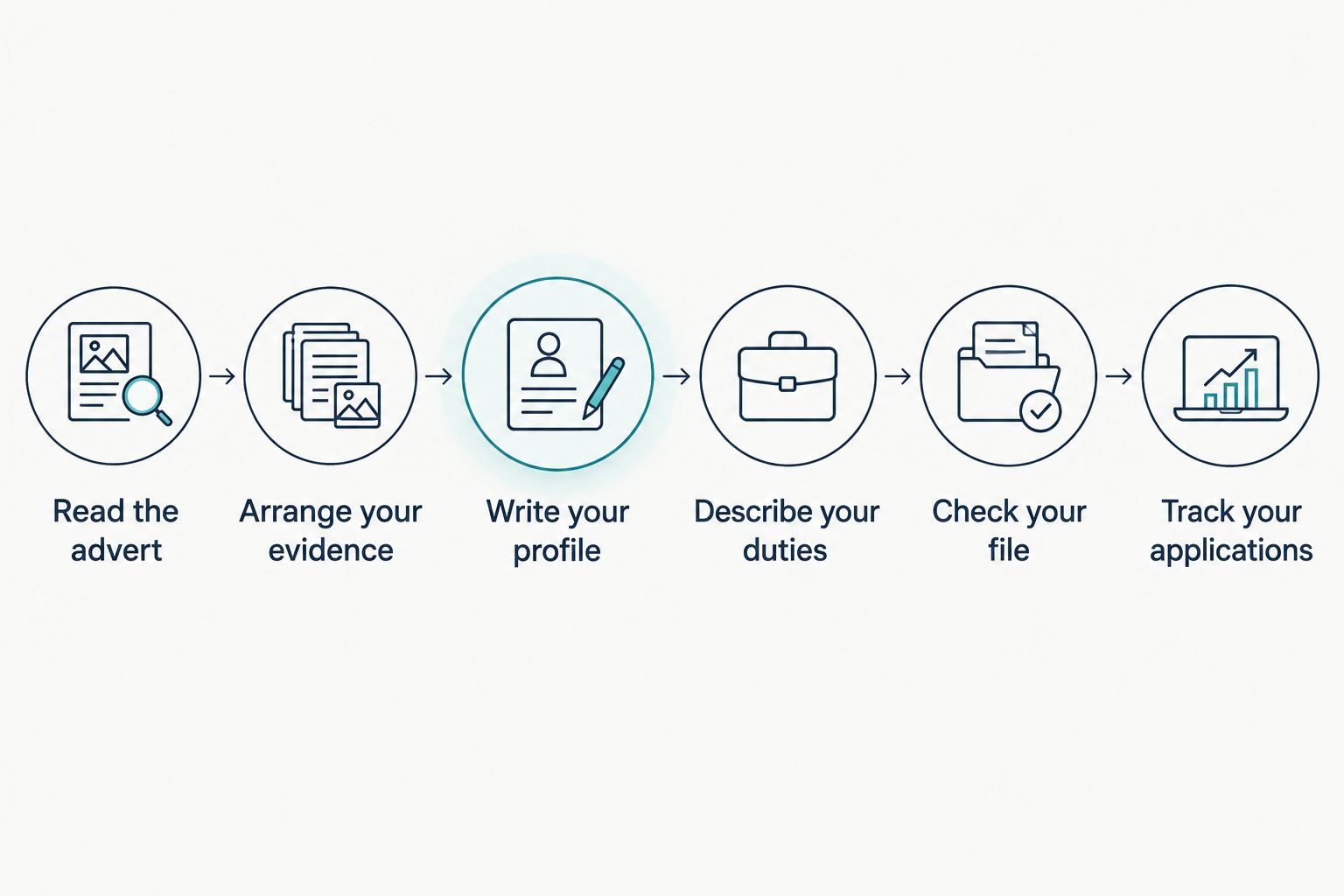
The sequence is simple: Read the advert, Arrange your evidence, Write your profile, Describe your duties, Check your file and Track your applications.
Read the advert
Copy the job requirements into a separate working note. Mark each requirement as something you can prove, something you need to clarify or something you do not hold. Do not edit your CV to conceal a missing requirement.
Look for the site duties, requested registration or grade, working arrangements and submission instructions. Record requirements exactly. If an advert requests a particular credential, a general phrase such as security trained does not answer it.
For an illustrative Bloemfontein access-control vacancy, you would prioritise visitor checks and entry records if the advert names those duties. For a vacancy elsewhere in South Africa, follow that employer's requirements. Location alone does not determine what belongs in your CV.
Close this preparation step with a short checklist:
- Record the exact job title and employer.
- Highlight duties you have actually performed.
- Identify requested credentials and supporting documents.
- Note the application channel and closing date.
- Separate essential requirements from preferences.
Arrange your evidence
Start with a plain document and clear headings: contact details, profile, relevant credentials, work experience, education and skills. Keep your strongest matching evidence easy to find. You do not need decorative graphics to show that you can complete a patrol or maintain a register.
Use 2 pages as a working target for most applicants with experience. A school leaver with little work history can start with 1 page. Keep relevant evidence rather than padding a short CV or shrinking the text to force a longer one into less space.
For security roles, list your actual PSiRA registration details and grade where relevant. Check the information against your documents. Keep security training, firearm-related credentials and driving licence details separate; include only what you hold and what the application needs.
You can build this structure yourself. Blessingmdigital's CV System is an alternative for applicants who want files for the application steps in one download, with a Start Here guide explaining the order.
- Use a phone number and email address you check.
- State your town or city without a full residential address.
- Place relevant registration and training under clear headings.
- List employment in reverse chronological order.
- Keep a separate record of supporting documents.
Write your profile
Write a short profile that names the role and summarises relevant evidence. Replace personality claims with duties, settings or training. If you cannot explain a phrase with an example, remove it.
The following wording is illustrative, not a real applicant's history. Use it only where it matches your own experience.
Experienced applicant: Security officer with experience in visitor access control, routine patrols and occurrence-book entries. Checks entry details, reports irregularities and passes outstanding matters to the next shift.
First-time applicant: Applicant seeking an entry-level security officer role. Holds the security training listed below and brings customer-facing experience from previous work. Prepared to explain that experience and provide the documents requested in the advert.
The first example shows security duties. The second distinguishes training from employment and does not pretend that customer service is security experience. Add verified registration details in their own section rather than squeezing everything into the profile.
- Name the role you are applying for.
- Select relevant duties or transferable experience.
- Describe training separately from work experience.
- Remove unsupported claims such as expert or highly successful.
- Check that the profile matches the rest of the CV.
Describe your duties
Write each employment entry with the job title, employer, location and employment dates. Under it, explain the work you performed. A duty becomes useful evidence when the reader can identify the action, the subject and the record or procedure involved.
Avoid a line that says only responsible for security. It leaves the employer guessing. The examples below are illustrative rewrites, not client results or duties every security officer performs.
| Weak wording | More specific wording, if true |
|---|---|
| Access control | Checked visitor details and recorded entry and exit information in the site register. |
| Patrolling | Completed assigned patrol routes and reported unsecured doors or unusual activity to the supervisor. |
| Report writing | Recorded incidents in the occurrence book and passed unresolved matters to the incoming shift. |
| Customer service | Explained entry procedures to visitors and referred disputed access requests to the supervisor. |
Do not add achievements or volumes you cannot support. A clear description without a number is better than an invented incident count. Keep confidential information out: you can describe the work without naming residents, exposing security weaknesses or explaining sensitive site procedures.
- Begin each duty with an action you performed.
- Name the register, report or process where appropriate.
- Distinguish reporting an incident from resolving it.
- Include equipment use only where you have that experience.
- Remove confidential site and client details.
Check your file
Review the editable document first, then inspect the saved file you will send. A CV that looks correct while you edit it can still contain cut-off text, an unexpected blank page or an old phone number in the exported version.
Use a simple layout with familiar headings. If you send a PDF, try selecting its text and pasting it into a plain document. Check whether your name, contact details, headings and employment entries remain understandable. This checks text order; it does not prove that every recruitment system will interpret the file correctly.
Follow the employer's file-format instructions. An applicant tracking system does not guarantee acceptance or rejection, and a readable CV still needs to match the role. Use the guide to checking the saved PDF before applying when reviewing your final export.
- Open the exact attachment you intend to submit.
- Check contact details and spelling.
- Confirm that headings and duties remain together.
- Test whether copied text stays in a sensible order.
- Remove example wording that does not describe you.
- Save an editable master separately from the submission file.
Track your applications
Create a manual application log before sending your CV. Record the employer, role, application date, submission channel, CV version and next action. Use a spreadsheet, notebook or document you can update consistently.
For a 2026 application, name the saved version so you can distinguish it from your general CV. For example, Security-Officer-Access-Control-2026 describes the role focus without exposing an ID number. Keep the advert with your record so you can prepare for a call using the requirements you answered.
Blessingmdigital's CV System provides files for the application process in one download. Its Start Here guide explains what to open in order. It suits applicants who want an organised file-based process, not applicants expecting someone else to write their employment history.
- Record each submission as soon as you send it.
- Keep the advert and submitted CV together.
- Note requested documents and follow-up instructions.
- Check your email and missed calls.
- Prepare examples from the duties listed in that CV.
Choose the support that matches the task
Choose according to what is stopping your 2026 application: missing structure, unclear wording or an unorganised process. Buying guidance does not remove the need to check your credentials, adapt the wording and follow the advert.
| Option | Best for | Practical benefit | Key limitation |
|---|---|---|---|
| Manual document and application log | Applicants comfortable creating their own structure | You control the wording, layout and tracking method | You must build and check the process yourself |
| What to Write in Your CV: 3 Guides for South African Jobs | Applicants who already have a CV but need help choosing words | Guides focus on wording for the CV you already have and can be read on a phone | The stated purpose is wording guidance, not a complete application process |
| The South African CV & Job-Search System | Applicants who want files covering application steps | One download includes a Start Here guide explaining what to open in order | You still need to supply accurate personal evidence and follow each employer's instructions |
Blessingmdigital's CV System is best for South African applicants who want downloadable files for each application step. Choose the wording guides instead when your main problem is what to write in an existing CV.


Common mistakes security officers make on a CV
- Mixing registration, training and job experience. Give each its own place. A course certificate is not evidence that you performed a duty at work.
- Claiming every type of security work. Do not copy CCTV monitoring, armed response or control-room duties into your skills merely because they appear in another example.
- Listing duties without records or actions. Replace handled incidents with an accurate description of what you reported, recorded or referred.
- Sharing unnecessary sensitive information. Usually leave your ID number off the CV. Supply required verification documents through the employer's stated process after checking who is requesting them.
- Sending an old generic attachment. Check the role, contact details and filename before submitting. Your application log should identify the version you sent.
FAQ
What should a security officer CV include in South Africa?
Include contact details, a short profile, relevant registration and training, employment history, education and job-related skills. Keep credentials separate from duties so the employer can see what you hold and what you have done.
How long should my security officer CV be?
Use two pages as a working target if you have relevant experience. A school leaver or first-time applicant can start with one page; keep useful evidence rather than adding filler.
Can I apply for security jobs without previous security experience?
Apply where you meet the advert's requirements, and describe your training and transferable experience honestly. Do not turn customer-facing work into security employment or claim registration you do not hold.
Should I include my PSiRA details on my CV?
Include accurate PSiRA registration details and your grade where relevant to the role. Check them against your documents and follow the employer's instructions for supporting evidence.
Should I put my ID number on my security officer CV?
Usually leave your ID number off the CV. If the employer requests identity documents for verification, check the recipient and use the stated submission process.
Is a PDF better than Word for a security job application?
Use the format the employer requests. If no format is specified, inspect the saved file for readability and text order; neither format guarantees how a recruitment system will process your application.
Which Blessingmdigital CV product fits an application process?
The South African CV & Job-Search System fits applicants who want downloadable files for the steps of applying. Its Start Here guide explains the order; you must still supply accurate information and tailor each application.
One last thing
Before submitting your next 2026 application, read each duty as an interview question: Tell me how you did this. If you cannot answer honestly, rewrite or remove the line. Your CV should help you explain your experience, not create a story you have to defend.