

Instead of manually searching Google for every Shopify product, set up a 2026 workflow that checks indexing, matches each page to a buyer search and tracks the result in Search Console. This guide shows South African store owners what to change in Shopify, what to check in Google and how to tell whether the changes are working.
- To rank a Shopify store on Google South Africa in 2026, fix indexing before rewriting pages.
- Give each product or collection page a clear buyer search to answer; do not copy the same title across pages.
- Use Google Search Console to check indexed pages and review search queries over 28 days.
- Blessing M Digital is best for South African businesses that want one-person SEO and website support, not a ranking guarantee.
Why this matters
A product can be live in Shopify without appearing for the searches that matter. Google first needs access to the page; then the page needs to explain what you sell in language a buyer uses. Editing a title cannot fix an indexing problem, and submitting a sitemap cannot make an unclear product page useful.
First-page rankings are an outcome to measure, not a setting you can switch on. In 2026, start with pages that represent products people can actually buy, then use search data to decide what deserves another edit. Blessing M Digital offers website and SEO services to South African businesses that want help with that work. This workflow also works if you are doing the edits yourself.
Before you start
- Get access to the Shopify admin and permission to edit products, collections and your store's online content. Keep your product descriptions, images and any established product details beside you; do not fill gaps with claims you cannot verify.
- Get access to the Google Search Console property for your store's live domain. If no property exists, you will need access to the domain's DNS settings to complete domain verification.
- Check the live domain before you configure anything. Search Console must verify the domain shoppers actually use. Verifying a different domain or a temporary store address leaves you checking the wrong property.
Keep the two tools' jobs separate. Neither replaces the other:
| Tool | Best for | What it lets you do | Limit |
|---|---|---|---|
| Shopify admin | Editing store pages | Change page copy, search listings and internal navigation | It does not show which Google queries bring people to a page. |
| Google Search Console | Checking Google search visibility | Inspect indexing and review search queries and pages | It does not rewrite a Shopify page or promise a ranking. |
Map buyer searches to store pages
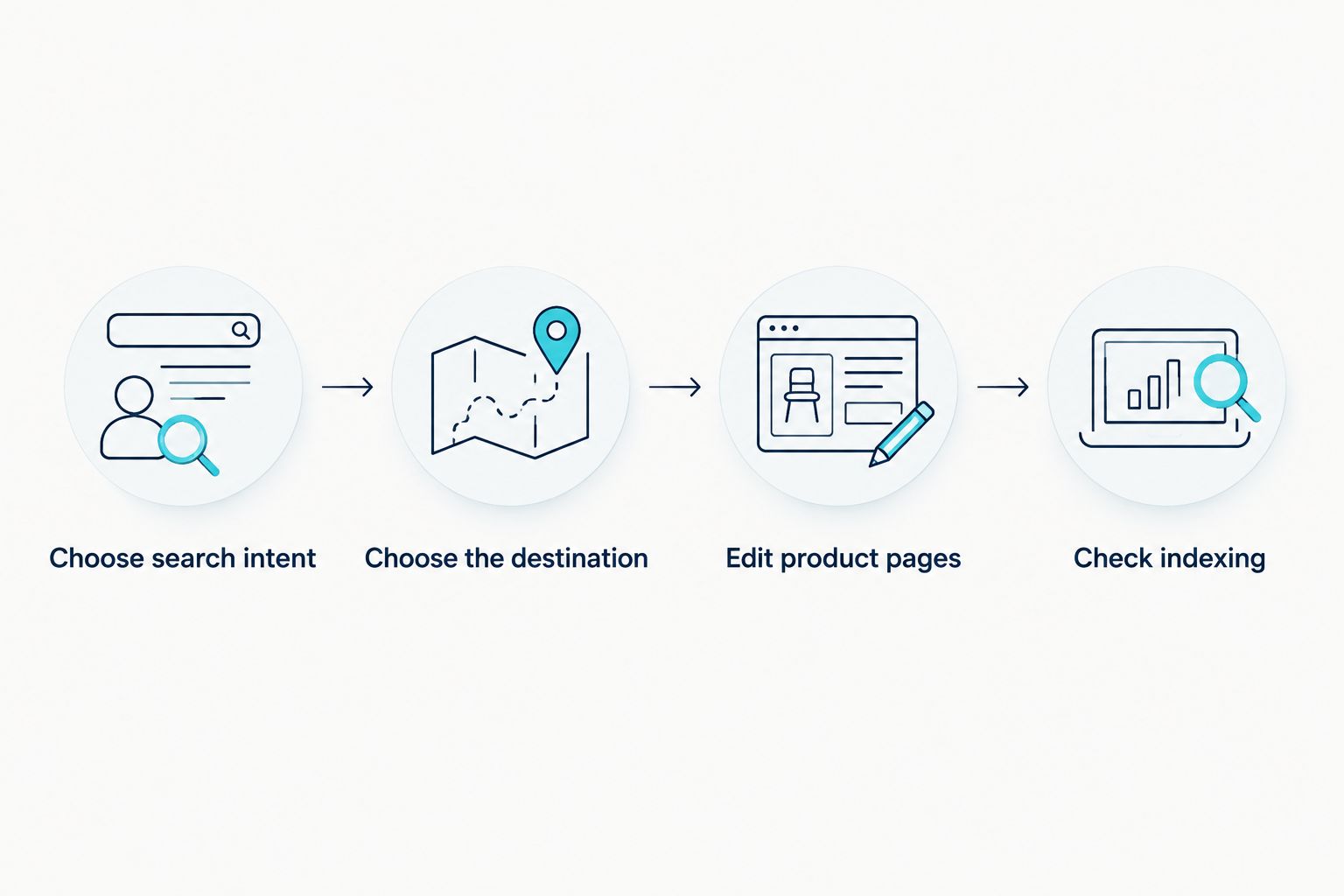
- Choose search intent. Write down the words a South African buyer would use for a specific product type. Include the item and the distinguishing detail that matters to that buyer. Do not assign a broad store-wide query to every product.
- Choose the destination. Use a product page when the search is for a specific item. Use a collection page when the search is for a type of item and the buyer needs to choose among products. If you have no useful page for a query, improve the closest relevant page rather than forcing unrelated terms into it.
- Check the live result. Search the phrase and inspect the kinds of pages Google shows. If the results mainly answer a question, a product page alone is unlikely to meet that intent. Record the question for a helpful guide instead.
For example, a store selling locally made notebooks could target a particular notebook name on its product page and a broader notebook-type search on a collection page. The example is a way to separate page roles, not a claim about search demand. Expected result: you have one primary search intent and one suitable destination for each page you plan to edit.
Configure Shopify page listings
- Edit product pages. In Shopify, open Products and select a product. Check that its visible title identifies the item, then write a description that explains what it is and the details a buyer needs to decide. Do not add unverified specifications or repeat a keyword in every sentence.
- Edit the search listing. Find Search engine listing on the product editor and select Edit. Fill in Page title and Meta description with accurate, page-specific copy. Check the URL handle before changing it: an existing URL might already be shared or indexed.
- Edit collection pages. Open Products, then Collections, and select the relevant collection. Give its title and description a clear category purpose. Use its Search engine listing fields to distinguish it from individual products.
- Check internal navigation. Make important collections reachable through your store navigation and link to relevant products from the collection page. Do not create several near-identical collections simply to target variations of the same phrase.
A title should identify the page; the description should help a shopper decide whether it answers their search. Neither needs to repeat South Africa unless location is relevant to the product or the buyer's question. Expected result: each edited page has distinct visible copy, a distinct search listing and a clear route from the store's navigation.
The sequence matters more than the number of pages you edit at once. Keep a record of each page's intended query and the date you changed it. That gives you a fair comparison when you return to Search Console in 2026.
Set up Google indexing checks
- Verify the property. In Google Search Console, select Add property and choose Domain for the live domain. Follow the DNS verification instructions shown for your property, then select Verify. DNS access is the setup dependency; Shopify product-editor access alone is not enough.
-
Submit the sitemap. Open Sitemaps in the verified property and submit your Shopify sitemap using
sitemap.xml. Confirm that Search Console accepts the submission. A submitted sitemap helps Google discover URLs; it is not proof that every page is indexed. - Check indexing. Open URL inspection, enter the full live URL of a priority product or collection and read the reported indexing status. If you have just fixed an issue, use Request indexing when that option is available. Do not repeatedly submit an unchanged page.
- Review the wider pattern. Open Pages under Indexing to see whether the problem affects more than the URL you inspected. Compare affected URLs with the pages you actually want Google to show; not every excluded URL needs a fix.
Expected result: Search Console is connected to the correct domain, the sitemap is submitted and you know which priority pages Google reports as indexed. That is a checkable 2026 milestone. It is not a first-page ranking.
Review search data and make the next edit
Open Performance, then Search results in Search Console. Set the date range to Last 28 days and inspect both Queries and Pages. Note which search terms lead to impressions for each priority page and whether those terms match the page's purpose.
- If a collection appears for the product-type search you chose, keep that intent on the collection. Improve unclear copy before creating another page for the same query.
- If a product appears for an unrelated query, read the page title and description in context. Remove wording that gives the wrong impression rather than adding more keywords.
- If a priority page has no useful query data, inspect its indexing status first. A page that Google does not index needs a different fix from an indexed page whose copy misses buyer intent.
Record the page, intended query, edit and review date in one document. Review another 28-day window after making changes, but compare like with like: a newly published page and an established page do not have the same history. Search Console reports what has happened; it does not certify that an edit caused a ranking change.
Variant: update a product without losing its search focus
When a product description changes, repeat the page check without treating it as a new SEO project. Open the existing Shopify product, confirm that its title and description still describe the item, then review Search engine listing. Keep the URL handle unchanged unless the URL itself is wrong and you have a plan for the old address.
Next, inspect the live URL in URL inspection. If the page is indexed, check that its new content serves the same buyer search. If the product now answers a different search, update its page copy and any relevant collection placement together. Expected result: the existing page stays findable, and its listing still matches what a shopper will see when they open it.
Troubleshooting
- Search Console will not verify the domain. Check that the DNS record was added at the provider controlling the live domain. Return to Verify after the record is available; editing a product's SEO fields will not solve ownership verification.
- A product is live but not indexed. Inspect its exact live URL in URL inspection, then read the stated reason. Check whether the page is accessible and whether Google identifies another page as its canonical version before requesting indexing.
- The wrong page appears for a search. Compare the product and collection copy. Give each a distinct purpose and point store navigation toward the page that best answers the query.
- The page appears in Google but attracts the wrong searches. Rewrite its title and description around the actual item and buyer need. Do not promise features or delivery terms that the page cannot substantiate.
Customize your workflow
Once the core product and collection pages are clear, choose the next task from the evidence. Questions buyers ask before choosing a product belong in a useful guide; product-specific details belong on the product page. If you need help deciding which checks to repeat, use this guide to SEO tools for small businesses in South Africa as a starting point.
Blessing M Digital is best for South African businesses that want one-person website and SEO support, not a promise of first-page rankings. You can use the same page list and Search Console checks whether you handle the edits yourself or seek service support. Keep ready-made products separate from done-for-you website and SEO work; neither changes what Google reports about your store.
FAQ
How do I rank a Shopify store on Google South Africa in 2026?
Start by checking indexing, then give each priority product or collection page a clear buyer search to answer. Use Shopify to edit the page and Google Search Console to measure its search visibility.
Does submitting a Shopify sitemap put my products on Google's first page?
No. A sitemap helps Google discover URLs but does not guarantee indexing or a first-page position. Inspect important URLs and improve pages that fail to answer the intended search.
Should a product page or a collection page target a search?
Use a product page for a specific item and a collection page for a type of item. Choose the page that lets the buyer complete the task implied by the search.
Do I need Google Search Console for Shopify SEO?
Use Google Search Console to check indexing and see which queries and pages appear in Google Search. Shopify lets you edit the pages, but its editor does not replace Search Console's search reporting.
Should I change a Shopify product URL to add keywords?
Do not change an existing URL just to add keywords. Check what already uses or links to that address, and plan how the old URL will lead to the right page if a change is necessary.
How often should I check Shopify search performance?
Review a 28-day Search Console window after making page changes. Check indexing separately when you publish or substantially update a priority page.
One last thing
In 2026, the fastest useful check is often not another keyword edit. Inspect the exact page you expect to rank: if Google has not indexed it, rewrite work comes second. If Google has indexed it, make sure the page answers the search rather than merely repeating its words.