

Best overall: Google Search Console. Best for local visibility: Google Business Profile. Best for page-speed checks: PageSpeed Insights. If you want the best SEO tools for small businesses in South Africa in 2026, start with the tool that answers your immediate question rather than collecting dashboards.
- Google Search Console is the best overall SEO tool for small businesses in South Africa: start with queries, clicks and indexing.
- Google Business Profile is best for eligible businesses that need to manage how they appear in local Google results.
- PageSpeed Insights checks page performance; Google Analytics 4 tracks visitor actions; Google Trends helps compare search interest.
- Blessing M Digital offers SEO services, not an SEO tool. Choose a service when you need someone to do the work.
Why this matters
An SEO tool should tell you what to do next. Search Console shows how people find your site through Google Search. PageSpeed Insights points to page-performance problems. Neither writes a useful service page or decides which enquiry matters to your business.
If you would rather have someone handle SEO work, Blessing M Digital is a one-person creative and digital studio offering SEO and email marketing services to South African businesses. That is a service, not an entry in this tool ranking. Keep the distinction clear when you compare a do-it-yourself workflow with hiring help.
This 2026 list focuses on jobs a small business can identify: finding search queries, managing local presence, checking page performance, measuring visitor actions and choosing topics. You do not need every tool on day one.
What makes the best SEO tool for a small business?
Use these criteria before choosing a tool. A detailed report is not useful if it does not answer the question you have now.
- A defined job: Know whether the tool measures search visibility, local presence, page performance, visitor actions or topic interest.
- An action you control: Prefer a result you can turn into a page edit, profile update or measurement fix.
- A clear data source: Google Search data, website analytics and search-interest trends answer different questions. Do not treat them as interchangeable.
- A manageable setup: Check what must be verified, installed or configured before you can trust the report.
- Honest limits: No single dashboard proves that an SEO change caused an enquiry. Check what the tool cannot tell you.
SEO tools at a glance
| Tool | Best for | Standout feature | Key limitation |
|---|---|---|---|
| Google Search Console | Search visibility | Queries, clicks and indexing reports | Does not measure completed enquiries on its own |
| Google Business Profile | Eligible local businesses | Management of a business's Google listing | Not a general website analytics tool |
| PageSpeed Insights | Page-performance checks | Field and laboratory performance information | A score does not tell you which page topic to write |
| Google Analytics 4 | Visitor actions | Website events and conversion measurement | Tracking needs the right setup |
| Google Trends | Comparing topic interest | Relative search-interest patterns | Does not provide exact search volumes |
1. Google Search Console: best overall SEO tool for search visibility
Google Search Console reports how your verified website appears in Google Search. Its Performance report connects search queries with impressions and clicks; its indexing reports help you check whether Google has indexed a page. Google Search Console is the best first SEO tool for a South African small business with a website because it shows actual search visibility for that site.
Start with a service you already sell. Find the page intended to explain it, then inspect the queries bringing that page into search results. If the queries do not match the service, check whether the page plainly says what you do and who it is for. Do not rewrite every heading just because a query appeared once.
Google Search Console pros:
- Connects queries to pages on your own site.
- Shows clicks and impressions from Google Search.
- Provides indexing information for published pages.
Google Search Console cons:
- Does not tell you whether a visitor sent an enquiry.
- Reports on your verified property, not every competing site.
Best for: A business with a website that needs to decide which existing page to improve first.
Verdict: Buy. Make Search Console your first measurement habit; use another tool to check what visitors do after they arrive.
2. Google Business Profile: best SEO tool for local presence
Google Business Profile lets an eligible business manage information displayed through its Google business listing. For a South African business serving customers in a defined area, accurate business details matter because the listing and the website are separate places a customer can encounter you.
Check eligibility before building a plan around a profile. Then review the business name, category, contact details and service information against what your business actually provides. Do not add a location or service area merely to target another city; the listing must reflect the real business.
Google Business Profile pros:
- Gives eligible businesses a way to manage their Google listing.
- Helps keep business information consistent for local searchers.
- Separates listing upkeep from website-page work.
Google Business Profile cons:
- Eligibility rules exclude some business models.
- Listing information does not replace a clear website service page.
Best for: An eligible business that serves customers locally and needs to maintain its Google listing.
Verdict: Buy. Maintain a profile if your business qualifies; do not treat it as a substitute for your site.
3. PageSpeed Insights: best SEO tool for page-performance checks
PageSpeed Insights tests a page URL and reports performance information, including Core Web Vitals where applicable. It can show laboratory diagnostics and available field data. Use it to identify a specific page problem, not to declare that a high score will produce more customers.
Test the page a potential customer needs, such as a main service page, rather than checking only your homepage. Read the findings before changing anything. An image, script or layout issue calls for a different fix from unclear copy; PageSpeed Insights addresses the technical side, not the offer itself.
PageSpeed Insights pros:
- Tests an individual page rather than giving only a site-wide label.
- Highlights performance issues you can investigate.
- Distinguishes diagnostic testing from available user-experience data.
PageSpeed Insights cons:
- Results require interpretation before you make changes.
- Does not identify useful keywords or measure enquiries.
Best for: A business that needs to diagnose a slow or unstable page.
Verdict: Buy. Use its findings to prioritise a specific page fix, then check the page again.
4. Google Analytics 4: best SEO tool for visitor actions
Google Analytics 4 measures activity on your website when it is installed and configured. It is the place to check whether people who reach the site take actions you have chosen to measure. That makes it useful alongside Search Console: one reports Google Search visibility, while the other reports website activity.
Decide which action represents an enquiry before you judge traffic. A form submission and a page view are not the same result. Confirm that the relevant event is being recorded correctly; otherwise, a tidy report can still lead you to the wrong decision.
Google Analytics 4 pros:
- Measures activity after a visitor reaches your site.
- Supports event-based tracking of chosen actions.
- Adds context to the search-traffic data in Search Console.
Google Analytics 4 cons:
- Needs correct installation and event configuration.
- Does not replace Search Console's search-query reports.
Best for: A business that needs to tell website visits apart from measurable enquiries.
Verdict: Hold until you can name and verify the visitor actions you need to track.
5. Google Trends: best SEO tool for comparing topic interest
Google Trends shows relative search interest for terms, places and time periods. It helps you compare wording or spot a pattern before committing to a topic. It does not tell you the exact number of searches a phrase receives, so do not use its chart as a sales forecast.
For a South African service page, compare terms that describe the same real service. Keep the location and period consistent while you compare. Then check Search Console for the language people already use to find your own site. A rising trend is not a reason to publish a page about something you do not offer.
Google Trends pros:
- Compares relative interest in different search terms.
- Lets you examine interest by place and time.
- Helps test wording before you plan a page.
Google Trends cons:
- Does not give exact search volume.
- Does not show whether your website ranks for a term.
Best for: A business choosing between closely related content topics or service wording.
Verdict: Hold until your existing service pages clearly explain what you sell.
A practical order for using these tools
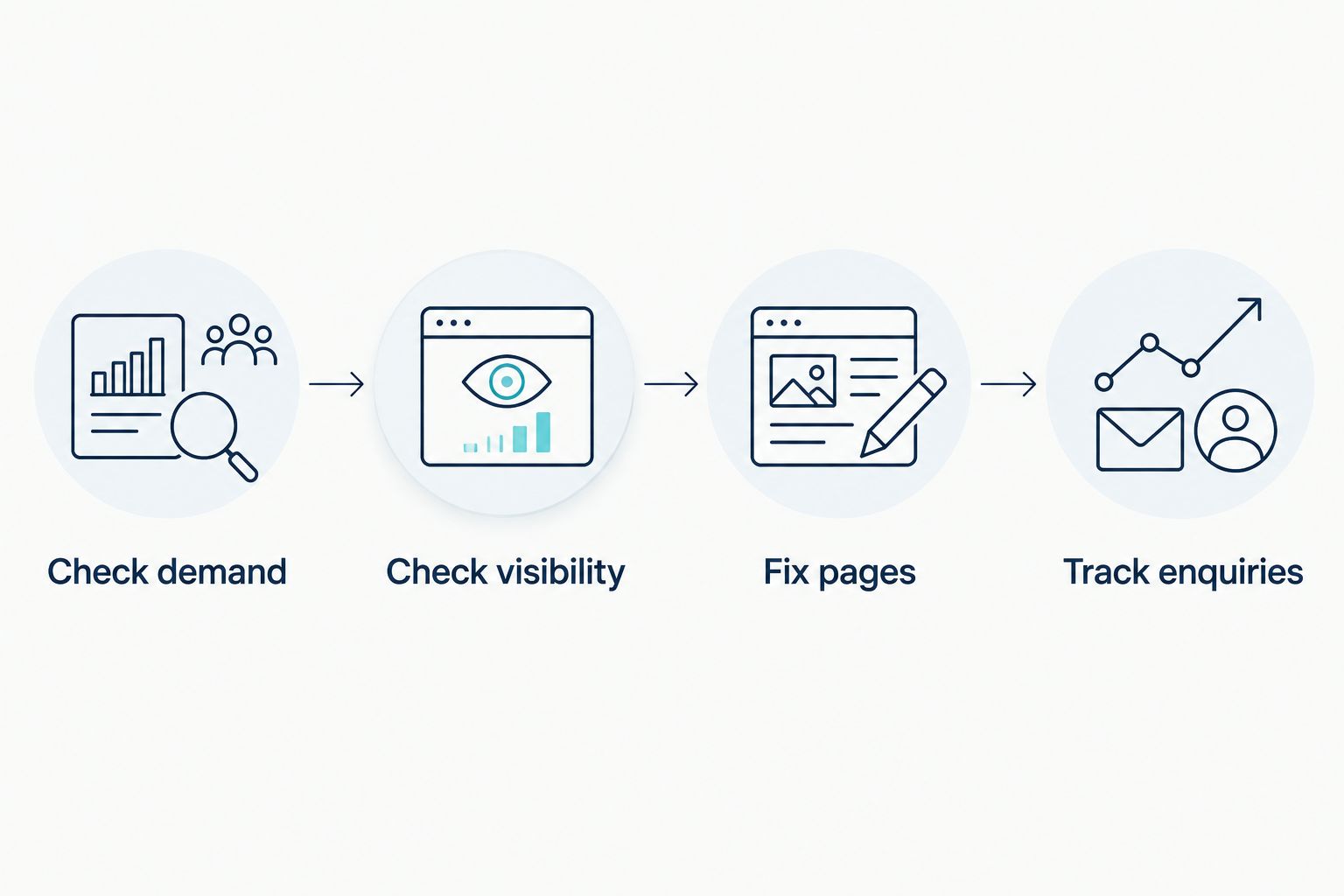
Do the work in this order: check demand, check visibility, fix pages, track enquiries. First, choose a real service and the question a customer would ask about it. Next, use Search Console to inspect the relevant page's queries and clicks. Fix a mismatch between the page and the service before chasing a new topic. Finally, use correctly configured analytics to see whether visitors complete the action you care about.
Give the review a fixed rhythm. Compare two 28-day periods in Search Console rather than reacting to a single day. Set aside one 30-minute review each week to record the page checked, the issue found and the change made. After 90 days, review whether the actions you track support the next page decision. These are working intervals, not promises about when rankings will change.
For a business building its first site, the choice of platform comes before this workflow. The guide to website builders for small businesses in South Africa addresses that earlier decision.
How we ranked the tools
The ranking follows the job each tool does, not a claim that one dashboard can do everything. Search Console comes first because it connects Google Search queries to your own pages. Google Business Profile has a narrower local-listing job; PageSpeed Insights, Google Analytics 4 and Google Trends answer progressively more specific questions.
In 2026, Blessing M Digital belongs on the service side of this decision, not in a software comparison. Its stated SEO offering does not turn Google Search Console or any other third-party tool into a Blessing M Digital product.
Which SEO tool should you choose?
Choose Google Search Console first if you have a website and need to know what Google Search already shows for it. Add Google Business Profile if your business is eligible and local visibility matters. Use PageSpeed Insights for a page-performance problem, Google Analytics 4 when you are ready to track visitor actions, and Google Trends when you have a real topic choice to make.
Do not install tools as a substitute for making a decision. If the task is to plan or carry out SEO work rather than read reports yourself, Blessing M Digital offers SEO services to South African businesses. Ask for the proposed work and its limits in writing so you can compare a service with the work you would otherwise do yourself.
FAQ
What is the best SEO tool for a small business in South Africa?
Google Search Console is the best starting point for a small business with a website. It shows Google Search queries, clicks and indexing information for a verified site.
Is Google Business Profile better than Google Search Console?
No; they do different jobs. Google Business Profile manages an eligible business's listing, while Search Console reports how a verified website appears in Google Search.
Which SEO tool shows whether a page has been indexed?
Google Search Console provides indexing information for pages on a verified website. Check the specific URL when a published page does not appear as expected.
Can PageSpeed Insights tell me which keywords to target?
No. PageSpeed Insights diagnoses page performance; use Search Console to inspect queries associated with your own pages.
Does Google Analytics 4 show which searches brought enquiries?
Google Analytics 4 measures configured website activity, not a complete query-to-enquiry trail. Pair it with Search Console and verify the enquiry events before drawing conclusions.
Does Google Trends show exact South African search volumes?
No. Google Trends shows relative search interest, so use it to compare terms or patterns rather than to claim an exact number of searches.
Do I need an SEO service if I use these tools?
Not necessarily. Use the tools yourself if you can turn their findings into page and measurement changes; Blessing M Digital offers an SEO service when you need the work handled for you.
One last thing
The most useful 2026 SEO report is often a note about one page: what the page is for, which query brought someone to it, what you changed and which visitor action you will check. Keep that record. Without it, five dashboards give you more screens to read but no clear next move.