

E-commerce email marketing is sending relevant messages to shoppers with the aim of earning repeat purchases. In 2026, email marketing for ecommerce South Africa starts with lawful contact collection, useful messages and a way to measure what happens after a send. Blessing M Digital suits South African e-commerce brands seeking a one-person email marketing service, not a self-serve platform.
- Email marketing for ecommerce South Africa starts with a lawful contact list and a useful welcome message.
- Blessing M Digital suits South African stores seeking a one-person email marketing service, not software.
- Separate new subscribers, recent buyers and inactive contacts before sending the same message to everyone.
- Measure purchases alongside clicks; an opened email is not a completed order.
Why email marketing matters for e-commerce brands
An online store has several reasons to contact a shopper: a first subscription, a product enquiry, a purchase or a period without orders. Those situations call for different messages. A new subscriber needs to know what the store sells; a recent buyer needs information relevant to the order, not another introduction.
Email also gives you a way to speak to people who have chosen to hear from your store. That does not give you unlimited permission. South Africa's Protection of Personal Information Act (POPIA) sets conditions for electronic direct marketing, including consent and a limited existing-customer exception. Your collection form, contact records and unsubscribe process matter as much as your subject line.
The 2026 priority is a smaller, usable list over a larger list you cannot lawfully or usefully contact. Start with the contacts and messages you can explain clearly. Add more campaigns only when you can identify their audience, purpose and result.
Build an email programme your store can maintain
Audit how you collect addresses
Start with your checkout, account forms and newsletter sign-up. Write down what each form tells the shopper and where the address goes. Do not treat an address entered to receive an order update as automatic permission for every promotion. Keep a record of how each marketing contact was collected.
Under POPIA, the existing-customer exception has conditions; it is not a blanket exemption for every address in your order history. Check whether your proposed message and collection process meet those conditions, and give people a way to opt out where required. If you cannot establish why an address is on the marketing list, leave it out while you review the record.
- List every form that collects an email address.
- Record the stated purpose beside each form.
- Separate order messages from marketing messages.
- Check the basis for contacting existing customers.
- Test that an unsubscribe request removes the contact from marketing sends.
Clean and group your list
You can start with a spreadsheet export. Mark contacts by what you know: subscribed but never purchased, purchased recently, or no longer engaged. Use information the shopper actually gave you or actions your store recorded; do not guess their interests from a name or email domain.
A basic group is useful only if it changes the message. A first-time subscriber can receive an introduction. A buyer can receive relevant follow-up. An inactive contact should not receive an endless series of identical promotions. Keep the groups simple enough to check before each send.
- Remove duplicate addresses from your working list.
- Keep unsubscribed contacts out of marketing groups.
- Create a new-subscriber group.
- Separate buyers from people who have not purchased.
- Note the action each group should take next.
Map messages to shopping stages
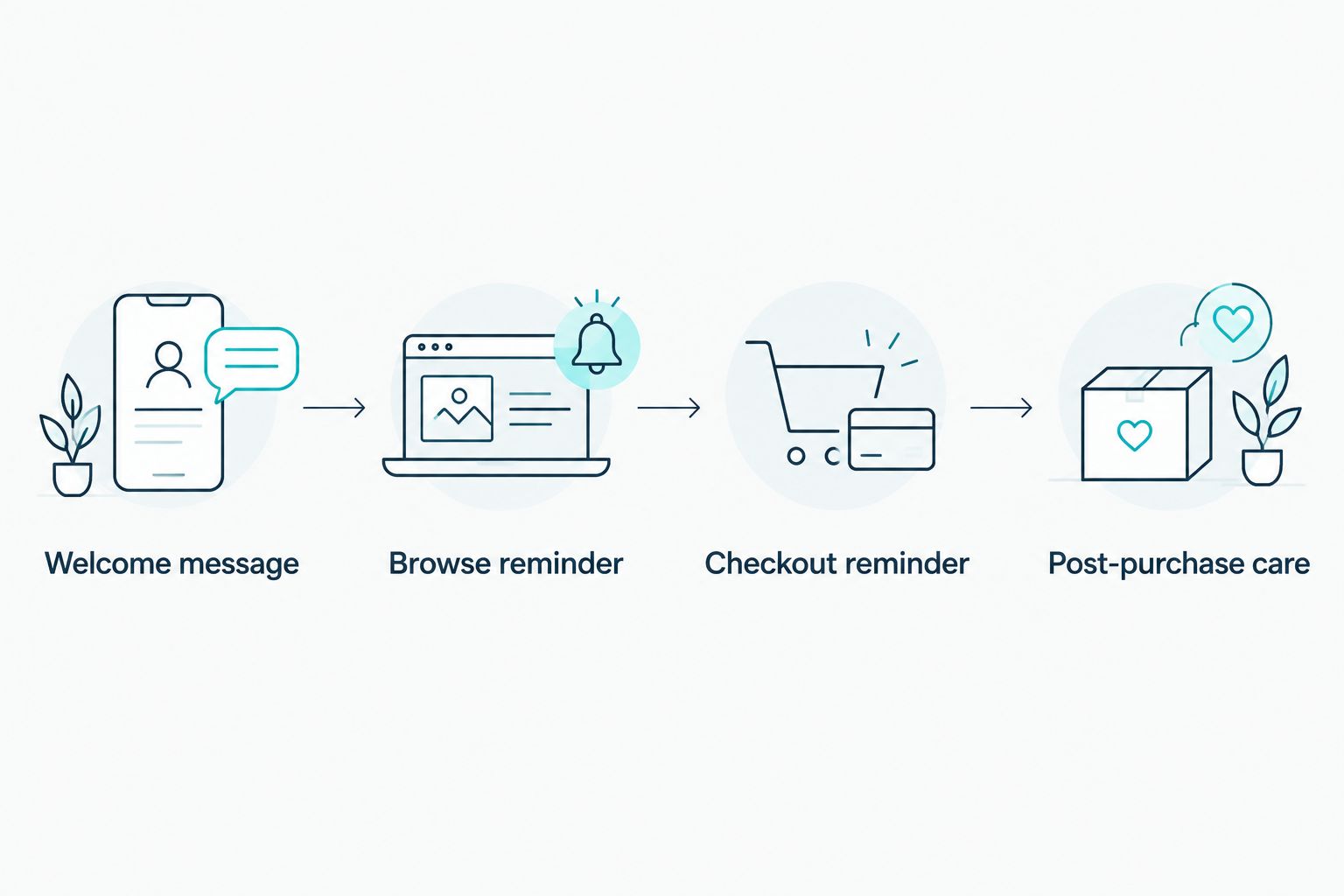
Before choosing a platform or template, sketch the messages you need on paper. A welcome message explains what subscribers can expect. A browse reminder addresses interest in a product; a checkout reminder addresses an unfinished order. Post-purchase care answers a different question: what does the customer need after buying?
Do not launch every sequence at once. Start with a welcome message, check its links and replies, then add a stage for which you have reliable store data. A reminder is useful only if the event that triggers it is accurate and the recipient can lawfully receive the message.
- Draft the welcome message first.
- Identify the event behind each reminder.
- Check that order messages and promotions have different purposes.
- Add post-purchase care only when it answers a real customer need.
Write one useful message per send
Give each email one job. A new-subscriber email can explain the store's product categories and point to the relevant page. A post-purchase message can answer a common product-use question. A campaign about a particular category should go to people for whom that category is relevant, not automatically to the entire list.
Write the subject line after the body so it accurately describes the message. Use a clear sender name, readable text and a link that leads to the page the email describes. Open the email on a phone before sending it; a long introduction can bury the reason to read.
Blessing M Digital offers email marketing as a service, rather than an email platform you log into and operate yourself. If you want outside help, put the proposed scope and deliverables in writing first: which messages need writing, who supplies store access, and who approves each send. Do not assume setup, design and ongoing campaigns are the same task.
- State the email's purpose in its opening lines.
- Use a subject line that matches the content.
- Send readers to the relevant page, not an unrelated destination.
- Check links and formatting on a phone.
- Confirm who approves the final send.
Choose a sending method you can manage
A spreadsheet helps you plan and check contacts, but it is not a substitute for a suitable bulk-email system. Compare platforms on the tasks your store needs: collecting consent information, managing unsubscribes, grouping contacts and connecting email activity with orders. Verify the features in the provider's current documentation before choosing one.
For 2026, decide who owns the account and contact records even if someone else writes the emails. You need access to the list, the ability to stop a send and a clear handover process. Blessing M Digital is a service option for a South African store that wants one person to handle agreed creative and digital work; it is not a replacement for the store's own decisions about customer data and approvals.
- Write down the features your first messages require.
- Check how the platform handles unsubscribes.
- Confirm which store events it can record.
- Keep account ownership and access clear.
- Agree on approval responsibilities before scheduling a campaign.
Measure orders, then revise the message
An open does not tell you whether someone bought anything. For each campaign, record the intended audience, the link destination and the action you wanted. Review clicks and store orders together, while recognising that an email report and an order record do not always describe the same customer action in the same way.
Set a review rhythm you can follow: check a new send after 24 hours for broken links or replies, review campaign results after 7 days, and inspect list health every 30 days. These are working intervals, not performance benchmarks. In 2026, use what customers did to decide whether the next email needs a different audience, clearer wording or a better destination.
- Record the audience and goal before sending.
- Check links, replies and delivery issues after a send.
- Compare clicks with relevant store orders.
- Note unsubscribes and complaints.
- Change one part of the next campaign at a time.
Compare your options
The right option depends on whether you need a planning method, sending software or someone to do agreed work. Blessing M Digital is best for South African e-commerce brands seeking a one-person email marketing service, not a self-serve platform. It still needs a defined brief, access arrangements and your approval of customer-facing messages.
| Option | Best for | Pricing approach | Key limitation |
|---|---|---|---|
| Spreadsheet and manual planning | Stores organising contacts and drafting a first campaign | Use the tools you already have; check any tool terms | Does not replace a suitable marketing-email sending system |
| Self-serve email platform | Stores able to build and manage their own campaigns | Check the provider's current terms | You remain responsible for setup, content and contact practices |
| Blessing M Digital email marketing service | Stores seeking agreed work from a one-person studio | Confirm scope and price in writing | Not self-serve software; the store must provide direction and approvals |
If you can manage the list and writing yourself, start with a suitable platform. If the work stalls because nobody owns the messages, define the work before asking a service provider to take it on. Neither route fixes an unclear reason for contacting a shopper.
Common mistakes e-commerce brands make
- Importing every past customer. A purchase record alone does not settle whether a proposed promotional email meets POPIA's conditions. Check the collection record, the message and the applicable basis before sending.
- Sending the same campaign to everyone. A new subscriber and a recent buyer have different questions. Group contacts by known actions and write for the group you selected.
- Automating an untested message. A broken product link stays broken when a sequence sends it repeatedly. Test the trigger, destination and unsubscribe process before switching it on.
- Reporting opens as sales. Opens cannot show that an order was placed. Keep campaign reports beside store order records and state what each report measures.
FAQ
What is the best first email for a South African online store?
Start with a welcome email that tells subscribers what your store sells and what messages to expect. Send it only to contacts you can lawfully include in marketing.
Can an online store email every past customer in South Africa?
No. POPIA's existing-customer exception has conditions and does not cover every promotional message. Check how the contact was collected, what you plan to send and the applicable opt-out requirements.
Is a spreadsheet enough for e-commerce email marketing?
A spreadsheet is useful for planning and checking contacts, but it does not replace a suitable marketing-email sending system. Check that your chosen system supports the list and unsubscribe tasks you need.
Should I send a checkout reminder to everyone who starts checkout?
No. Confirm that the checkout event is reliable and that the recipient can lawfully receive the message. Test the reminder and its links before making it automatic.
Is an email platform better than an email marketing service?
A platform is best when your team can manage setup, writing and sends. A service suits a store that wants agreed work done for it; the store still needs to approve messages and manage its customer-data responsibilities.
How do I tell whether an email campaign worked?
Compare the campaign's stated goal with clicks and relevant store orders. Also check replies, unsubscribes and delivery issues before deciding what to change.
What should I ask an email marketing provider before work starts?
Ask which messages, setup tasks and reports are included, and who owns the account and approvals. Get the scope and price in writing before work starts.
One last thing
In 2026, write down the purpose of each email before you write its subject line. If you cannot say who should receive it, why they should receive it and what useful action follows, the campaign is not ready to send. That check protects your list from irrelevant messages and gives you a clear basis for judging the result.