

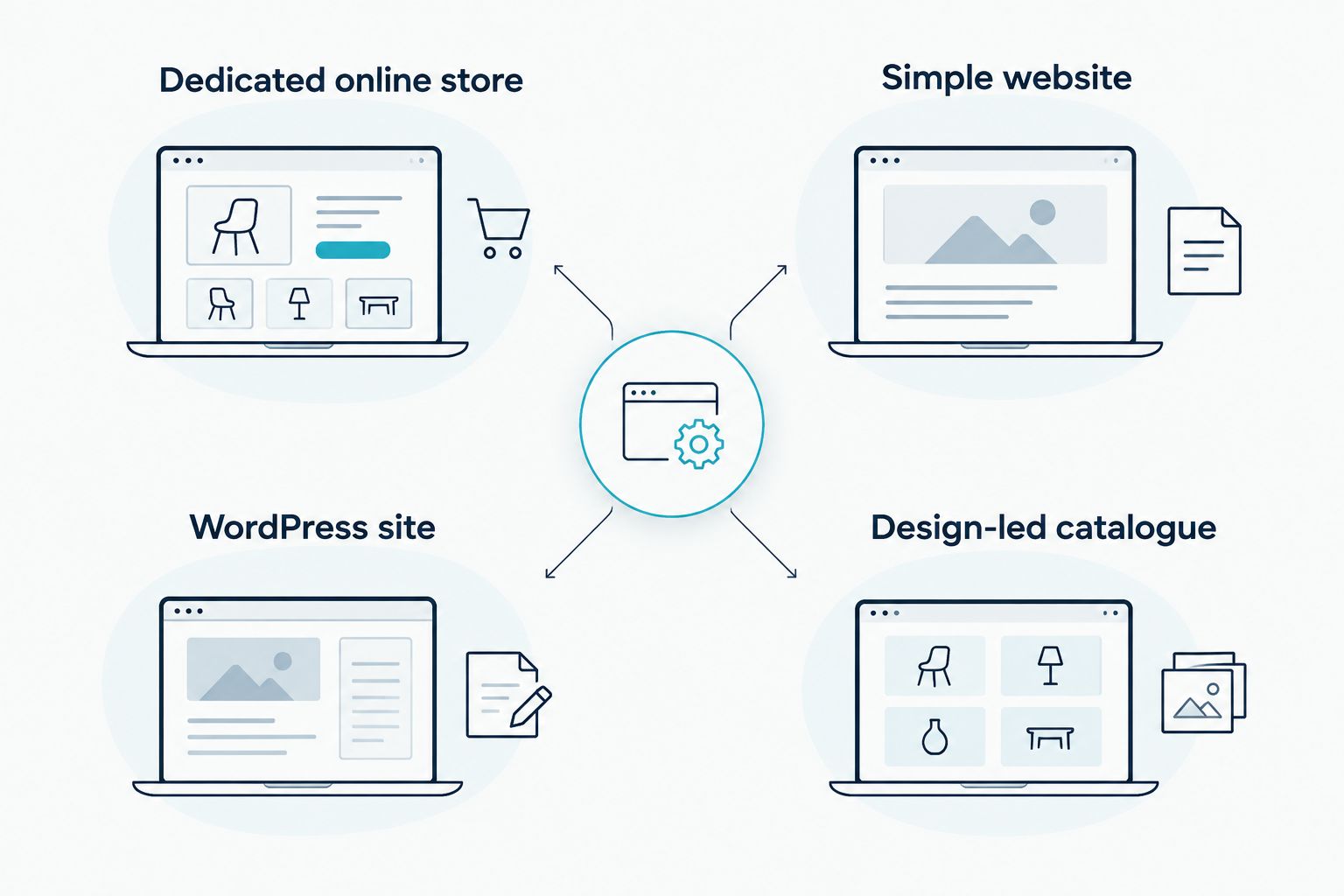
Best overall: Shopify for a small business that wants a dedicated online store. Best for an existing WordPress site: WooCommerce. Best for a simple business website with a shop: Wix. Best for a design-led catalogue: Squarespace. These are the best e-commerce platforms for South African small businesses to compare in 2026, but the right choice depends on how you will take payments, manage orders and maintain the site.
- Shopify is the best overall e-commerce platform for a South African small business starting a dedicated online store.
- Choose WooCommerce if your business already uses WordPress and can maintain its website.
- Choose Wix for a simple business site with a shop; choose Squarespace when presenting products is the priority.
- Before committing in 2026, verify your payment provider, delivery workflow and ongoing site responsibilities.
Why this matters
A platform can make a product page look finished while leaving the difficult parts of selling unresolved. Before you choose, establish how a customer will pay, how you will receive the order, who will arrange delivery and who will update the site. If you are still deciding whether you need a store or a simpler website, read the website builders guide for South African small businesses first.
Blessing M Digital offers website services, not a competing e-commerce platform. You can ask for help building a website, but you still need to choose the store setup that fits your business. The comparison below makes that decision before discussing who builds it.
What makes the best e-commerce platform?
Use these criteria in 2026. A polished template does not compensate for an order process you cannot operate.
- Payments: Check the exact payment provider and payment methods you intend to offer. Confirm their current compatibility with your chosen setup; do not assume a provider works because another South African store uses it.
- Order handling: Find out where orders appear, how you change their status and what information reaches the customer. Follow an order from checkout to completion before you commit.
- Product management: Count the variations, images and details each product needs. A straightforward catalogue has different demands from a store with frequent changes.
- Maintenance: Decide who will handle updates, technical faults and changes to the checkout. This matters most when you manage the software yourself.
- Website needs: Decide whether the shop is the main business site or one part of a wider site with service pages, contact information and other content.
E-commerce platforms at a glance
| Platform | Best for | Standout feature | Key limitation |
|---|---|---|---|
| Shopify | A dedicated online store | Store-focused setup | Less direct control over the underlying site than a self-managed WordPress setup |
| WooCommerce | A business already using WordPress | Store functions inside WordPress | You are responsible for the WordPress site's upkeep |
| Wix | A simple website with a shop | Website editing and store pages in one builder | Check that its store tools fit your catalogue and order process |
| Squarespace | A design-led product catalogue | Product presentation alongside website content | Check whether its commerce tools fit complex product requirements |
The table is a shortlist, not a payment-provider approval list. Check current platform features and provider documentation for your particular South African setup.
1. Shopify: best e-commerce platform for a dedicated store
Shopify is the default choice when selling online is the website's main job. It is a hosted store platform: you manage products and orders through the service rather than maintaining a WordPress installation. Best for: a small business starting a dedicated online shop without an existing WordPress site.
Shopify pros:
- The setup starts with a store, rather than adding a shop to a general-purpose website.
- Product and order management sit within the same platform.
- You do not have to maintain a separate WordPress installation to run it.
Shopify cons:
- A hosted setup gives you less direct control over the underlying site than self-managed WordPress.
- You still have to confirm that your intended payment and delivery workflow fits the setup you choose.
For a 2026 shortlist, write down your intended payment provider before choosing a theme. Ask the provider and the platform to confirm the connection you need. Then document who will process orders, handle customer queries and keep product information current. Verdict: Buy if you want a dedicated store and the payment and order workflow checks out; otherwise, hold until it does.
2. WooCommerce: best for a business already using WordPress
WooCommerce adds store functions to WordPress. It makes sense when you already have a WordPress site you intend to keep, or when direct control over that site is part of the plan. Best for: an existing WordPress business with someone responsible for website upkeep.
WooCommerce pros:
- It builds on an existing WordPress website instead of requiring a separate site builder.
- You control the WordPress site and its store configuration.
- You can manage shop content alongside the rest of your website content.
WooCommerce cons:
- Someone must maintain WordPress, its plugins and the site's technical setup.
- Adding extensions creates more parts to check when something stops working.
Do not choose WooCommerce solely because you have heard that WordPress is flexible. Name the person who will manage updates and fix checkout problems. If nobody owns that work, the control becomes a responsibility without an owner. In 2026, confirm that your planned payment connection works with your specific WordPress and WooCommerce setup. Verdict: Buy for an established WordPress site with a maintenance owner; skip if nobody will maintain it.
3. Wix: best for a simple business website with a shop
Wix is a website builder with store tools. Choose it when your business needs clear service or information pages and a straightforward shop, rather than treating the store as the entire site. Best for: a small business that wants to edit its own general website and sell a manageable range of products.
Wix pros:
- You can build the wider business website and shop in one builder.
- The editing approach suits owners who expect to update pages themselves.
- It keeps the decision focused on the whole website, not only checkout.
Wix cons:
- You must check that its product options cover what you actually sell.
- Its payment and order tools need the same verification as any other platform.
Before choosing Wix in 2026, enter 1 representative product page with the options your customers must select. Follow that product through the order process. If it needs a workaround, do not assume the rest of the catalogue will be easier. Verdict: Buy for a simple site-and-shop combination that passes this check; hold if your product or order process needs workarounds.
4. Squarespace: best for a design-led catalogue
Squarespace combines website pages and online selling. Consider it when the way you present products and supporting content is central to the site. Best for: a small catalogue where clear product presentation matters more than a complicated store setup.
Squarespace pros:
- Product pages can sit alongside information about the business.
- The site and shop can be managed within one website builder.
- It is a distinct option for owners comparing how products appear on the page.
Squarespace cons:
- A presentation-led choice does not settle payment compatibility.
- You must test whether its product options match a complex catalogue before committing.
In 2026, map a real product with its required choices, delivery information and customer instructions. If those details are hard to express clearly, appearance alone is not a reason to choose the platform. Verdict: Buy for a straightforward catalogue whose order process you have verified; skip if important product requirements do not fit.
How these platforms were ranked
The ranking starts with the primary job of the site, then checks payments, orders, product management and maintenance. Shopify takes the default slot because it is built for a dedicated store. WooCommerce moves ahead when you already have WordPress and can maintain it; Wix and Squarespace serve narrower website-and-shop needs. No platform gets a pass on payment verification.
Run 3 test orders before publishing your chosen store: one with your standard product, one with a product option if you use them, and one following the delivery or collection process you intend to offer. Check what the customer sees and what you receive. Fix unclear instructions before you invite buyers in.
Blessing M Digital can be considered for website work if you want someone to build rather than do it yourself. Keep that decision separate from your platform choice: ask for the proposed scope, deliverables and responsibilities in writing. Do not treat a website service as a substitute for confirming the payment and order process.
Which e-commerce platform should you choose?
Choose Shopify if you are starting a dedicated online store in 2026 and its payment setup supports your intended workflow. Choose WooCommerce if your existing WordPress site is worth keeping and someone will maintain it. Choose Wix for a simple business site with a shop, or Squarespace for a straightforward, presentation-led catalogue. If none passes your real-product and real-order checks, do not publish the store yet.
FAQ
What's the best e-commerce platform for a South African small business in 2026?
Shopify is the best default for a dedicated online store in 2026. Check your intended payment provider and order workflow before committing.
Is Shopify better than WooCommerce for an existing WordPress site?
WooCommerce is the stronger fit when you want to keep your WordPress site and can maintain it. Shopify is the simpler starting point when you want a separate, dedicated store.
Is Wix suitable for a small South African online shop?
Wix suits a simple business website that also needs a shop. Test a representative product and confirm your payment workflow before choosing it.
When should I choose Squarespace for an online store?
Choose Squarespace when you have a straightforward catalogue and product presentation matters. Check its product options against what your customers must select.
Does a South African payment provider work with every platform?
Do not assume a payment provider works with every platform. Confirm the current connection you need with the provider and the platform before building checkout around it.
Do I need a web designer to set up an online store?
You can build a store yourself if you can manage its setup, content and ongoing changes. If you hire someone, agree on the build scope and who handles maintenance and orders.
What should I test before launching an online store?
Test a real product page, your intended payment process and the information received after an order. Check delivery or collection instructions from the customer's side too.
One last thing
The most useful 2026 platform comparison is an order you can complete, not a template you like. Put 1 real product through checkout before committing to a full catalogue. If the payment, customer message or delivery instructions fail, fix that process first.
Blessing M Digital provides website services, but the business owner still needs a clear answer on who will maintain the site and fulfil orders. Set those responsibilities before the build starts.