

Instead of copying your CV into LinkedIn and correcting contradictions later, compare the two section by section: match your job titles, employers, dates, qualifications and skills, then rewrite the wording for each format. That is how to match your CV to your LinkedIn profile without making them identical.
- How to match your CV to your LinkedIn profile: make job titles, employers, dates and qualifications agree.
- Blessing M Digital is best for South African job seekers who want CV writing help, not automatic LinkedIn synchronisation.
- Keep your CV tailored to the application; use LinkedIn to explain the same experience in a public profile.
Why this matters
A recruiter who reads your CV and opens your LinkedIn profile should recognise the same career history. A different start date or an unexplained qualification is more important to fix than a difference in tone. Match the facts first; tailor the wording second.
Your CV and LinkedIn profile serve different purposes. A CV can focus on one application. LinkedIn remains visible to people considering you for different roles, so its headline and summary need to make sense without the job advert beside them. In 2026, keep one accurate record of your experience and adapt how you present it.
If your CV needs work before you update the profile, the CV and job-search system is a ready-made starting point. It is not a service that edits your LinkedIn account. Blessing M Digital offers CV writing services separately from its ready-made product; neither is a substitute for checking the facts on your own profile.
Before you start
- Have both versions open. Keep your current CV and LinkedIn profile where you can compare them. If you are applying for a particular role, have the advert open too.
- Check your source details. Confirm employment dates, official job titles, qualification names and institution names against documents you trust. Do not use one inconsistent profile entry to verify another.
- Decide what stays private. A CV shared with an employer and a public profile have different audiences. Do not copy an ID number, full home address or referees’ contact details into a public LinkedIn section just because they appear in a document you have used before.
The gotcha is assuming that editing one version updates the other. This is a manual workflow: save each change in LinkedIn, then check it against the CV again.
Prepare your CV
- Choose the CV you will use. If you have several tailored versions, pick the one with your most complete, accurate work history as your reference. Do not merge conflicting dates from different drafts.
- Mark the facts that must agree. Highlight each employer, title, start and end date, qualification and named skill. Mark an ongoing role as current only if it is still current in 2026.
- Separate facts from emphasis. Your responsibilities can be shorter on a CV for a specific vacancy and fuller on LinkedIn. The underlying role and dates must still agree.
Expected result: you have a checked list of facts to enter, not just a document to paste. A CV is often kept to 2 pages for most South African applicants; a school leaver can use 1 page, while a senior applicant can need 3 pages. LinkedIn does not need to copy that page structure.
Match experience and education
- On LinkedIn, select Me, then View Profile. Find Experience and compare each role with your checked CV list. Use the pencil icon on an existing entry to edit it, or Add profile section to add a missing role.
- Enter the employer name, job title and dates from your checked record. Keep a promotion clear: if your CV lists separate titles at the same employer, make sure your LinkedIn experience explains the change rather than showing one title across the entire period.
- Rewrite the description around work you actually did. A CV bullet can be brief and specific to an application; a LinkedIn description can give enough context for a reader who has not seen that application. Do not turn a team result into a personal claim.
- Check Education against your CV. Use the qualification and institution names supported by your records. If you started but did not complete a qualification, do not present it as completed on either version.
- Select Save after each edit, then reopen the entry and check what appears on the profile. Do not assume the text you typed is the text you saved.
Expected result: a reader can put the two histories side by side without finding contradictory employers, titles, dates or qualifications. In 2026, update the current role on both versions when its title changes; editing LinkedIn alone leaves the CV behind.
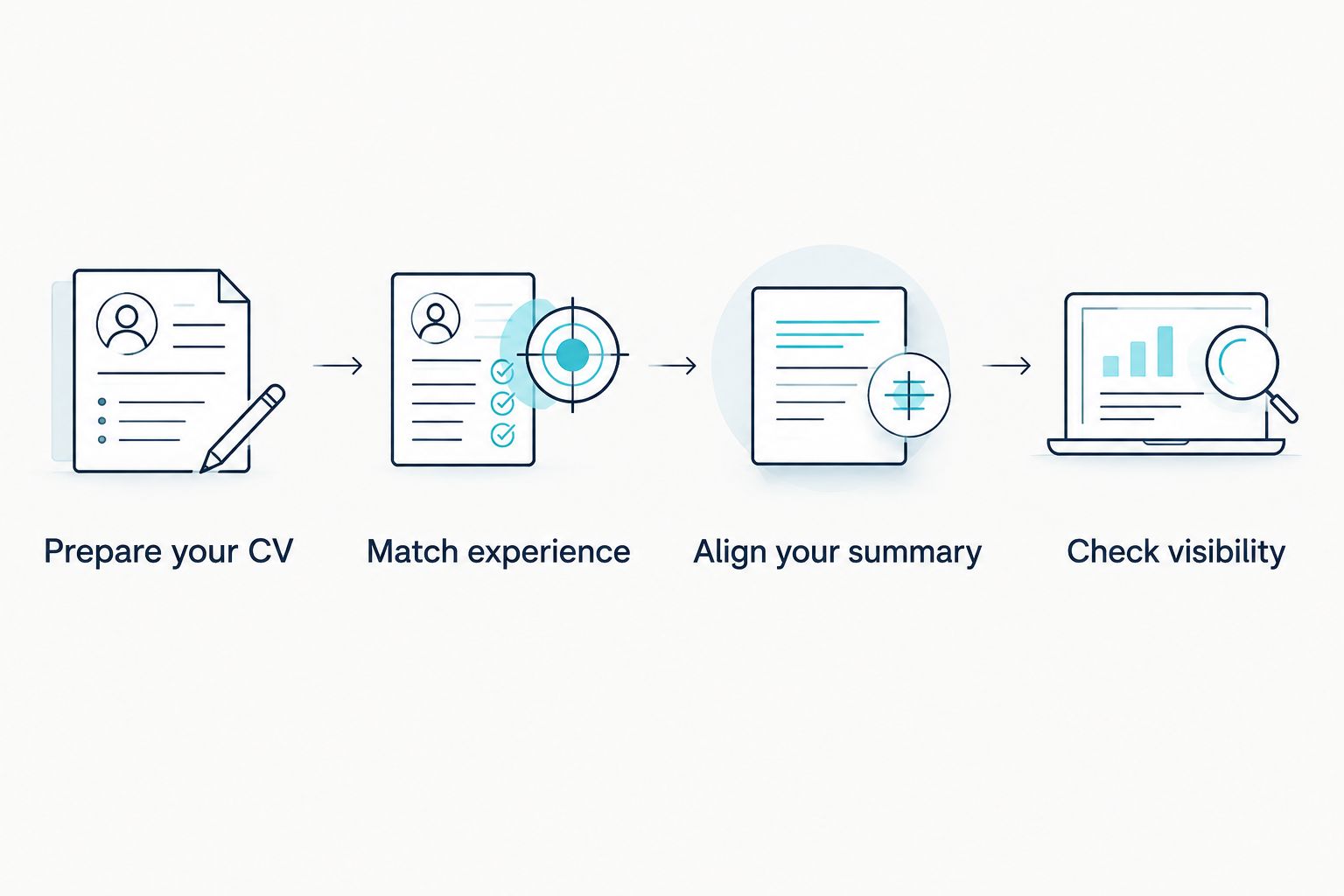
Align your summary and skills
- Read the CV’s opening summary, then open About on your LinkedIn profile. Write the LinkedIn version so it identifies the work you do and the experience you can support. Do not paste an application-specific objective that names a role you are no longer seeking.
- Check the headline below your name. Make it consistent with your actual role or the type of work you are seeking. For example, if your CV presents you as an office administrator, a headline claiming a management role needs an explanation in your experience history.
- Compare Skills with the skills named in your CV. Keep skills you can explain through your work or training; remove claims you cannot support. Adjust the CV for a particular advert without treating its wording as proof that you have a skill.
- Read both versions aloud. If the CV says you managed a process but the LinkedIn description says you assisted with it, decide which wording accurately describes your responsibility and correct the other.
Expected result: your headline, summary and skills support the same career story as the CV, even when the wording differs. For a first application, use a South African graduate CV format as a separate guide to organising the CV; do not add experience to LinkedIn simply to fill an empty section.
Check visibility and contact details
- Open Contact info on your LinkedIn profile. Check that the details you chose to share are current. Compare them with the contact details you want an employer to use on your CV.
- Review your profile as a visitor would see it. Check for older entries or wording that you missed while editing. Keep private information out of public-facing sections.
- Save your CV under a clear file name for the application and review the final document, not just the draft you edited. Verify your name, contact details and dates one last time.
Expected result: an employer can contact you using the details you intended to share, without finding sensitive information copied from your CV. Blessing M Digital’s CV writing service and a LinkedIn profile review are not the same deliverable; confirm the scope of any service before assuming both documents will be edited.
Update LinkedIn whenever your CV changes
The first setup gets the documents aligned. The second workflow keeps them aligned when you finish a course, change roles or tailor your CV for a new application in 2026.
- Identify whether your CV change is a fact change or a presentation change. A new qualification or changed job title is a fact change; a shorter summary for one vacancy is a presentation change.
- For a fact change, update the relevant LinkedIn entry and check the saved result. For a presentation change, decide whether the public profile also needs it. An application-specific CV does not require a matching rewrite of every LinkedIn sentence.
- Recheck the employer names and dates across both versions after the edit. Keep your verified source details available for the next application.
This is a repeatable manual check, not automatic synchronisation. In 2026, treat each newly tailored CV as a prompt to check LinkedIn’s facts, not as a reason to paste the whole CV into the profile.
Troubleshooting
- The dates disagree. Check your employment records and correct the inaccurate version. Do not choose the longer period because it looks better.
- A promotion appears as one job title. Separate the titles where needed and check that their dates make the progression understandable on both versions.
- Your headline and CV target different jobs. Keep the headline broad enough to describe work you can support. Tailor the CV to the vacancy without claiming an unrelated role on LinkedIn.
- A skill is on LinkedIn but absent from the CV. Add it to the CV only if it is relevant to the application and you can substantiate it. Otherwise, review whether it belongs on the profile.
- Your edits do not appear on the profile. Reopen the entry, check the saved text and use Save again if you made a further change. Then review the profile rather than relying on the editing screen.
Customize your workflow
Keep a private list of verified employers, titles, dates, qualifications and skills. Use it when you write a new CV version and when you update LinkedIn. The list is a checking aid, not something to publish with your application.
For South African job applications, review your CV’s length as well as its consistency. The 2-page format suits most applicants; 1 page can work for a school leaver, and 3 pages can be appropriate for a senior career history. Do not delete relevant evidence merely to make the CV resemble a LinkedIn profile, or expand a short CV with unsupported claims.
Blessing M Digital is best for South African job seekers who want CV writing help, not automatic LinkedIn synchronisation. If you need work done for you rather than a ready-made CV resource, agree on the deliverables before work starts. You still need to verify the employment and education details you supply.
FAQ
How do I match my CV to my LinkedIn profile?
Match your employers, job titles, dates, qualifications and supported skills first. Then write each summary for its audience: the CV for the application and LinkedIn for readers who have not seen it.
Should my CV and LinkedIn profile use exactly the same words?
No. The facts must agree, but the wording can differ. A tailored CV can emphasise relevant work while LinkedIn provides broader context.
What if my LinkedIn job dates do not match my CV?
Check your employment records and correct the inaccurate dates. Do not change either version simply to make a period of employment appear longer.
Should I put my South African ID number on LinkedIn?
No. Do not copy your ID number into a public LinkedIn profile. Review personal details on your CV before sharing it with an employer, too.
Do I need to list referees on LinkedIn?
No. Do not publish referees’ contact details on your profile. If an employer requests referees, check with them before sharing their details through an appropriate application channel.
Does updating my CV automatically update LinkedIn?
No. This workflow requires you to edit and save the relevant LinkedIn entries separately. Check the visible profile after each update.
Can I use a different CV for each job application?
Yes. Tailor the emphasis to each relevant vacancy while keeping your employment, education and other factual details consistent with LinkedIn.
One last thing
A difference is not always an error: your CV can be selective, while LinkedIn can show a fuller work history. The test is whether both accounts are true, not whether every sentence matches. Run that check again before sending a CV in 2026.