

Best overall: Google Docs résumé templates for a straightforward South African CV. Best for people already working in Word: Microsoft Word CV templates. Best for a visual portfolio: Canva free CV templates. Google Docs is the default choice in 2026 if you want a CV you can edit quickly without making the layout the main event.
- Google Docs offers the best free CV templates for South African job seekers who need a simple, editable starting point.
- Use Microsoft Word if you already edit documents there; check that the chosen template stays readable after changes.
- Use Canva for a visual portfolio, but keep a simpler CV for applications that request one.
- A template arranges your information; it does not write evidence of your work or tailor an application.
Why this matters
A CV template solves a layout problem. It cannot decide which experience matters to an employer in South Africa, explain a career gap or replace vague duties with clear evidence. Pick the tool you can edit reliably, then spend more time on the content than on colours and columns.
Free templates and paid job-search help are different choices. The South African CV & Job-Search System is a ready-made Blessing M Digital product, not a free template or a done-for-you CV writing service. You do not need it to use any of the free options below.
What makes the best free CV template?
Use these criteria before choosing a design. A template that looks polished but makes your work history hard to find is the wrong template for most applications.
- Readable structure: Your name, contact details, experience, education and relevant skills are easy to locate.
- Easy editing: You can change a job entry without shifting the rest of the page out of place.
- Sensible length: The layout lets you keep relevant experience instead of cutting it merely to fit a design.
- Clean export: The file remains readable when you save and reopen the version you will submit.
- Control over details: You can remove sections you do not need, including a photo box or a request for an ID number.
For most South African applicants, two pages is a useful CV target. A school leaver can often use one page; a senior applicant can need three pages. Those are content decisions, not reasons to stretch or shrink text to satisfy a template.
Free CV templates at a glance
| Template option | Best for | Standout feature | Key limitation |
|---|---|---|---|
| Google Docs résumé templates | A straightforward CV you can edit online | Familiar document-style editing | Layout choices are limited if you want a visual portfolio |
| Microsoft Word CV templates | Applicants who already work in Word | Direct editing in a familiar document format | More elaborate layouts take care to keep consistent |
| Canva free CV templates | Creative applicants presenting visual work | Greater control over visual layout | Decorative designs can make experience harder to scan |
All three are starting points. The best option is the one that lets you present the right information clearly and check the final file yourself.
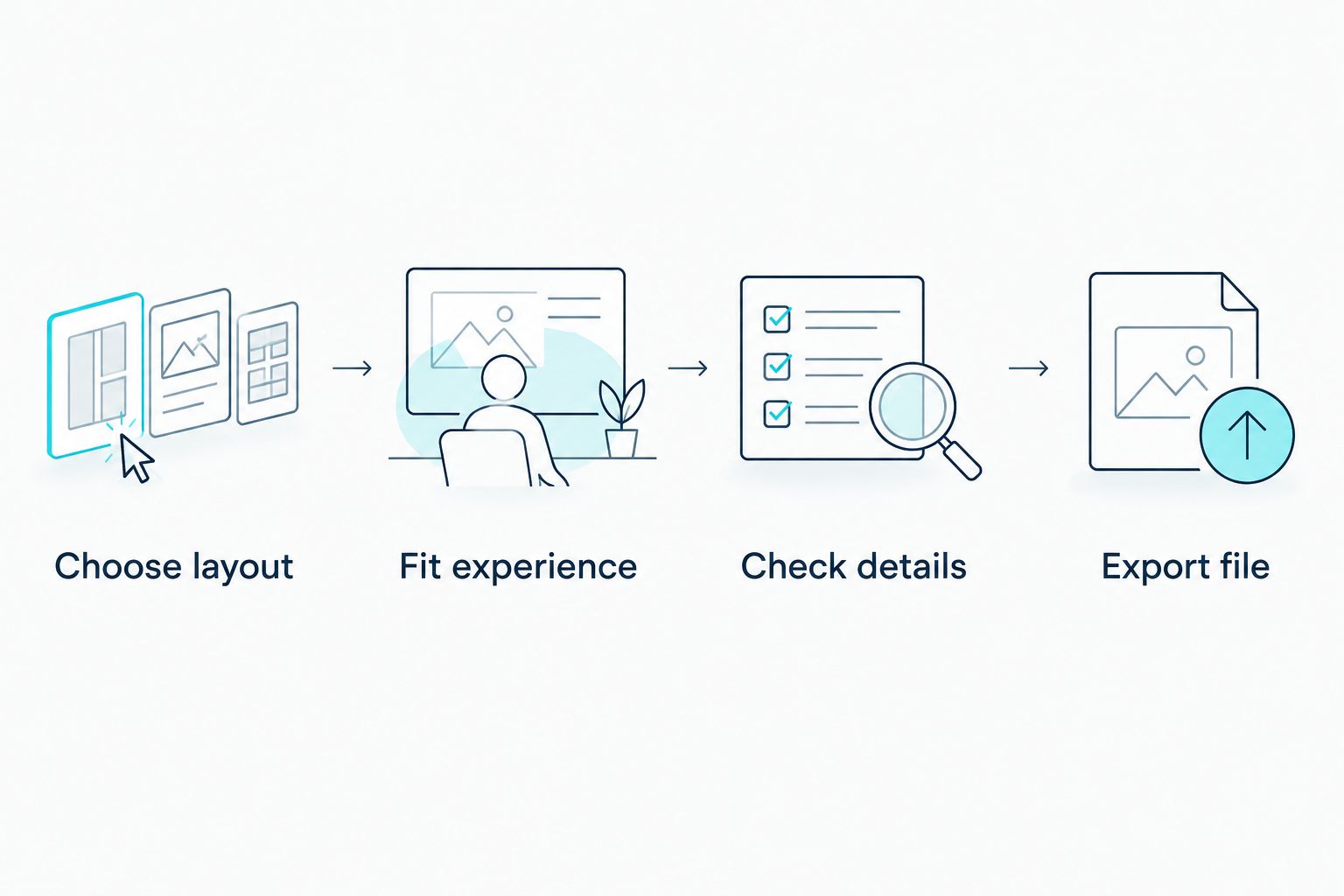
A quick selection check
- Choose layout: Pick a format that gives work experience enough space.
- Fit experience: Add your real roles, projects or education before judging the design.
- Check details: Remove unnecessary personal information and proofread every section.
- Export file: Open the submitted version and confirm that nothing has moved or disappeared.
1. Google Docs: best free CV templates for straightforward applications
Google Docs résumé templates give you an editable document rather than a design project. Start with a restrained layout, replace every sample entry and check the spacing after adding your own experience. Google Docs is the best default for a South African job seeker who needs a clear CV and expects to revise it for different roles.
Google Docs pros:
- Easy to revise a sentence or reorder experience.
- A simple layout keeps attention on your qualifications.
- You can make a separate copy for each application rather than overwriting one master CV.
Google Docs cons:
- The available designs give you less visual control than Canva.
- A template still needs careful editing; sample wording does not describe your work.
Best for: School leavers, career changers and experienced applicants who want a conventional CV they can update. If you have limited work history, include relevant projects, training or volunteering rather than leaving large sample sections untouched. Remove any section that adds no evidence for the job.
Verdict: Choose Google Docs when the application calls for a clear account of your experience, not a designed portfolio. In 2026, that is the safest starting decision for most readers of this guide; the final content still matters more than the template.
2. Microsoft Word: best free CV templates for Word users
Microsoft Word CV templates suit applicants who already write and revise documents in Word. Pick a restrained template, enter your information and inspect the result after each substantial change. Word gives you direct control over the document, but extra text can disturb a layout built around short sample entries.
Microsoft Word pros:
- Familiar editing if you already prepare documents in Word.
- Straightforward to maintain an editable master CV.
- Useful when you need to adjust headings or the order of sections.
Microsoft Word cons:
- Tables, text boxes and decorative elements need checking after edits.
- A complex design can take longer to repair than a plain document takes to write.
Best for: Applicants comfortable working in Word who want to keep an editable CV file. Before you commit to a design, add your longest job entry. If it breaks the layout, choose a simpler template instead of reducing the text until it no longer explains your work.
Verdict: Choose Microsoft Word if it is already your usual writing tool and you can inspect the finished document. Do not select a template solely because its sample CV fits neatly on the page; your experience will be different.
3. Canva: best free CV templates for a visual portfolio
Canva free CV templates give you more control over visual presentation. That can help when design is relevant to the work you want to show. It can also pull attention away from your experience, so use a restrained design and keep an ordinary, text-led CV for applications where presentation is not the point.
Canva pros:
- Flexible visual arrangement for a portfolio-led application.
- Easy to compare different layouts before settling on one.
- Useful when your CV accompanies examples of creative work.
Canva cons:
- Decorative sections can crowd out useful work history.
- A design that reads well on screen can be harder to read when printed or viewed at a smaller size.
- You must check that every element you use belongs to the free design you intend to export.
Best for: Designers, video creators and other applicants whose presentation supports relevant work examples. For a role where the employer chiefly needs to assess employment history and qualifications, start with Google Docs or Word instead.
Verdict: Hold Canva for a visual application; skip it as your only CV format. Keep the wording portable so you can move the same accurate information into a simpler layout when needed.
What to put in a South African CV template
Start with the vacancy, not the template's sample headings. Make it easy for the reader to connect your background to the role. A practical order is contact details, a short role-focused summary where useful, relevant experience, education and skills. Change the order when your strongest evidence is elsewhere; a school leaver, for example, can bring education and relevant projects forward.
For each role, name the work you did rather than copying a list of generic duties. If you lack formal employment, describe relevant coursework, volunteering or projects accurately. Do not turn a classroom exercise into a paid job or claim a result you cannot explain in an interview.
You usually do not need to put your South African ID number, a photo or a full street address on a CV. Add personal details only when they serve a clear application requirement. Check the vacancy instructions separately: if an employer asks for a particular document or format, follow that request rather than assuming your preferred template decides it.
For referees, two or three people is a practical target when references are requested. Ask their permission, confirm their current contact details and choose people who can speak to your work, training or conduct. Do not let a template's small references box force you to squeeze unreadable details into the final page.
How the options were ranked
The ranking puts readable structure and easy revision ahead of visual choice. Google Docs comes first because it keeps the decision focused on CV content. Word follows for people who already use it. Canva has a distinct place when the application benefits from visual presentation, but it is not the default for every job seeker.
This is a ranking of template approaches, not a promise that one file works for every vacancy. In 2026, check the actual design you select, fill it with your own information and inspect the exported version before sending it.
Which free CV template should you choose?
Choose Google Docs if you are undecided. It gives you a plain starting point that is easy to revise. Choose Microsoft Word instead when you already work confidently in Word. Choose Canva when a visual portfolio is relevant, and keep a simpler version of your CV available.
If the hard part is writing or organising your experience rather than choosing a layout, a template is not the whole answer. Blessing M Digital offers CV writing services as a done-for-you service; that is distinct from the ready-made Blessing M Digital CV & Job-Search System. Decide which kind of help you need before choosing between them.
FAQ
What are the best free CV templates for South African job seekers in 2026?
Google Docs résumé templates are the best default for a clear, editable CV in 2026. Microsoft Word suits existing Word users, while Canva suits visual applications.
Is Google Docs better than Canva for a CV?
Google Docs is the better default for a conventional CV. Canva is useful when visual presentation supports the role, but check that the design does not crowd out your experience.
How long should a South African CV be?
Two pages works for most South African CVs. A school leaver can often use one page, while a senior applicant can need three pages; keep the content relevant.
Should I put my ID number on a South African CV?
Usually, no. Leave your ID number off a general CV and check the specific application instructions before sharing sensitive personal details.
Should a South African CV include referees?
Include two or three referees when the application asks for them. Get permission first and check that their contact details are current.
Can I use the same CV template for every job?
You can reuse the layout, but revise the content for each relevant vacancy. Put the experience and skills that match the role where the reader can find them quickly.
Is the Blessing M Digital CV & Job-Search System a free template?
No. The Blessing M Digital CV & Job-Search System is a ready-made paid product, not one of the free templates ranked here. It is also distinct from done-for-you CV writing services.
One last thing
Do not judge your CV while it still contains sample text. In 2026, the useful test is simple: replace every example, save the file you intend to send, then read that file from top to bottom. If your most relevant experience is hard to find, change the layout before you submit it.