

Instead of manually answering the same WhatsApp questions throughout the day, connect an AI chatbot to the WhatsApp Business Platform so it can answer approved questions and pass anything else to a person. For an ai chatbot for whatsapp business south africa, use the platform rather than the WhatsApp Business app’s built-in automatic replies: the app can send preset text, but it does not generate answers from your business information.
- For an ai chatbot for whatsapp business south africa, use the WhatsApp Business Platform, not app-only automatic replies.
- Blessing M Digital is best for South African businesses that want a person to scope and build a WhatsApp chatbot.
- Give the chatbot approved answers, a human handover and a test conversation before customers use it.
- A greeting or away message is a preset reply; it is not an AI chatbot.
Why this matters
A WhatsApp reply is only useful if it answers the question asked. A preset message can acknowledge an enquiry, but it cannot tell whether the customer is asking about a booking, an existing order or a service you do not offer. A chatbot can use information you approve to handle those questions; it also needs a clear point at which it stops and hands the conversation to you.
Blessing M Digital is best for South African businesses that want a person to scope and build a WhatsApp chatbot, rather than use a ready-made app alone. That is a service decision, not a feature inside WhatsApp. If you are still choosing between tools, read the WhatsApp tools for South African small businesses guide before connecting a number.
Choose the right kind of reply
| Option | Best for | What it does | Limit |
|---|---|---|---|
| WhatsApp Business app replies | A business that needs a fixed greeting or absence notice | Sends text you write in advance | Does not answer a new question from your business information |
| WhatsApp Business Platform with an AI chatbot | A business receiving questions that need different answers | Routes customer messages to a connected chatbot | Needs setup, approved information and human oversight |
In 2026, start with the app if acknowledgement is all you need. Use the platform when the job is to answer a question, recognise when information is missing and transfer the conversation. Do not call an away message a chatbot when telling customers what to expect.
Before you start
- Get access to the business number and the people who manage it. Decide who will receive handovers and when they can respond. Do not point customers towards a human handover that nobody checks.
- Prepare approved business information. Write down the services or products you want the bot to discuss, the questions it can answer and the details it must not invent. Add a contact route for questions outside that scope.
- Check the connection before changing anything. The WhatsApp Business app and the WhatsApp Business Platform are different setups. Confirm how your chosen platform provider will connect the number you intend to use, particularly if staff already answer that number in the app. Do not assume the existing app workflow will stay the same.
You also need a way to test from a separate WhatsApp account. Keep your test conversations separate from real customer enquiries while you check the replies.
Set up your WhatsApp connection
- Select the connection. Choose a provider that explicitly supports the official WhatsApp Business Platform. Ask how it connects your business number, where incoming messages appear and how a person takes over a conversation. Do not give a provider access to your number without understanding who will manage it afterwards.
- Confirm the business account. In Meta’s setup, check that the correct business and phone number are selected. Record which account owns the connection; a test number is not the number customers already know.
- Enable incoming messages. Follow your provider’s connection instructions and confirm that an incoming WhatsApp message reaches the inbox or workflow where you will configure the chatbot. Do not build answers until this works.
Expected result: A message sent to the connected number appears in the intended conversation workflow. If it does not, fix the connection before writing more chatbot instructions.
Configure approved answers
- Write a customer message list. Start with questions people already ask, such as whether you provide a particular service, what information you need for an enquiry or how to reach a person. Use the actual answers your business gives; do not make up policies to fill gaps.
- Create an approved answer for each question. Keep the wording short enough to read in WhatsApp. If the answer depends on a customer’s circumstances, tell the bot what to ask before it responds. Do not let it promise a delivery date, booking or outcome that nobody has confirmed.
- Set an unknown-answer rule. In the chatbot’s instructions, require it to say when the approved information does not answer a question and to offer a human handover. An honest referral is better than a confident wrong answer.
- Limit the data it requests. Ask only for details needed to handle the enquiry. If a conversation involves personal information, decide who can see it and how you will handle it under South Africa’s POPIA requirements.
Expected result: The chatbot answers a question covered by your approved information and declines to invent an answer to one that is not. In 2026, treat that second result as a successful test, not a failure.
Configure human handover
- Name the handover triggers. Include a direct request for a person, a complaint, a question outside the approved information and any enquiry your team must assess before answering.
- Set the handover destination. Choose the inbox or person who will receive those conversations. Make sure the human can see the customer’s question and the chatbot’s reply; otherwise the customer must repeat the enquiry.
- Write the handover message. Tell the customer that their question needs a person. Do not promise an immediate response unless someone is assigned to monitor the inbox at that time.
- Test the stop condition. After the handover, confirm that the chatbot does not keep answering while a person is handling the same question.
Expected result: A customer can reach a person without arguing with the chatbot. The person receives enough context to continue the conversation.
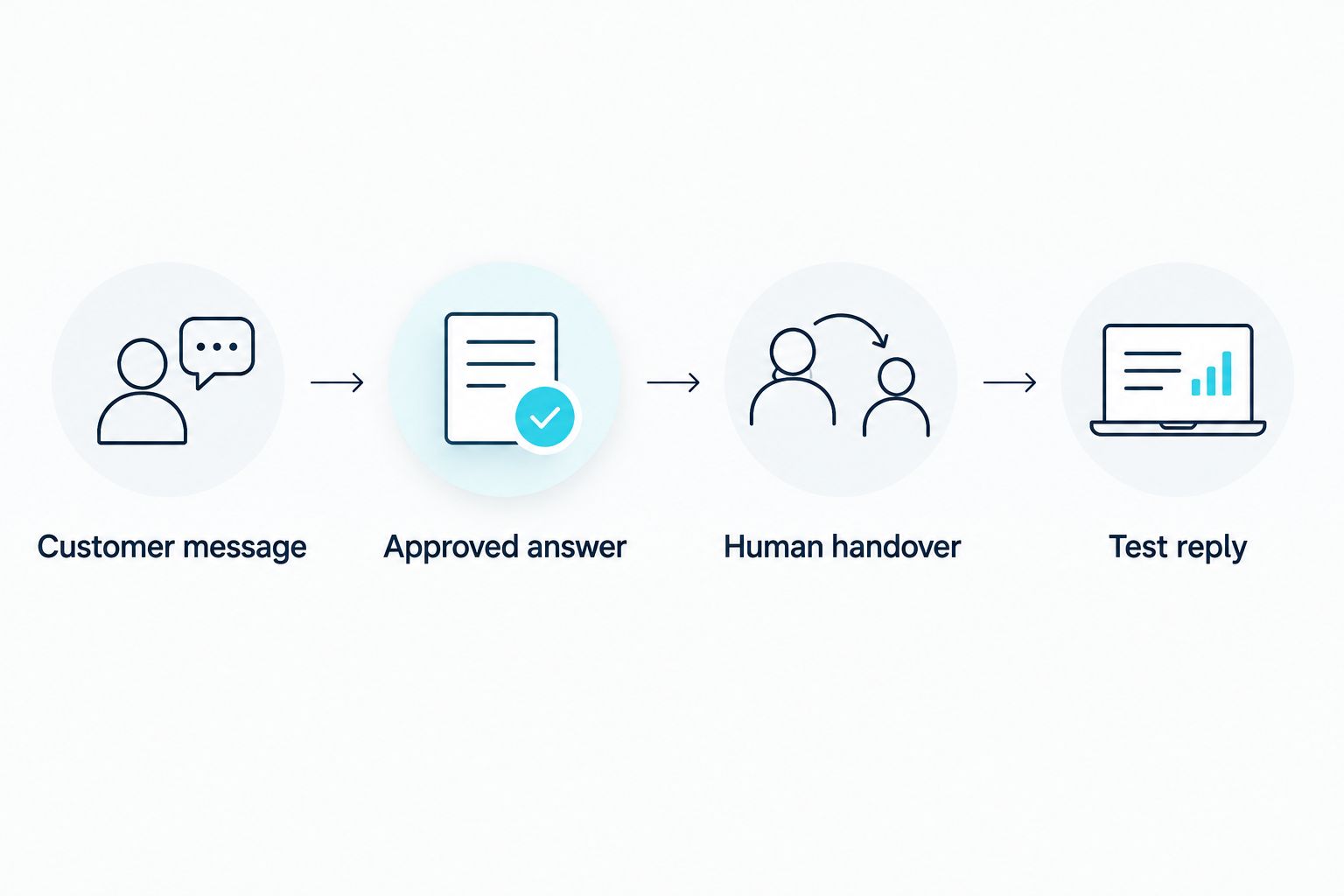
The workflow has four parts: customer message, approved answer, human handover and test reply. Check each part separately before judging the whole conversation.
Test the reply workflow
- Send a familiar question. Use a separate WhatsApp account to ask something your approved information covers. Check that the reply uses the right answer without adding a claim you did not provide.
- Send an unfamiliar question. Ask about an offer or policy you have not approved. The correct response is a clear limit and a route to a person, not a guess.
- Request a person. Confirm that the handover reaches its destination and that the bot stops responding to that issue.
- Repeat the test after changes. When you update your services or answers in 2026, run the same questions again. A working connection does not prove the current answers are correct.
Expected result: You can trace each test message to an approved answer or a human handover. If you cannot, keep the workflow off customer-facing enquiries until the gap is fixed.
Send an update after a customer enquiry
A second workflow starts when a customer has already contacted you and you need to continue that conversation. Use it for a genuine update to the customer’s enquiry, not as a reason to send unrelated promotions.
- Identify what changed and whether the update requires a person to check it first.
- Check when the customer last messaged. The WhatsApp Business Platform has a 24-hour customer service window for replies; business-initiated messages outside that window require an approved message template and must follow WhatsApp’s applicable rules.
- Keep the message tied to the enquiry. If the chatbot cannot confirm the update from approved information, send it for human review instead.
In 2026, separate answering an incoming question from starting a new message. They have different sending rules, even when they appear in the same WhatsApp conversation.
Troubleshooting
- No message reaches the chatbot: Check the connected phone number and the provider’s incoming-message connection. Test that path before changing the answer text.
- The bot gives a polished but wrong answer: Remove the unsupported statement from its approved information or instructions. Test the same question again and check whether it now hands over when it should.
- A customer asks for a person but the bot continues: Add that request as a handover trigger, then confirm that the bot stops on that conversation after transfer.
- An update does not send: Check whether the customer service window has closed and whether the required approved template is in place. Do not keep retrying a normal reply outside the permitted window.
- Staff cannot find the enquiry: Confirm the handover destination and what conversation history staff can see. A notification without the customer’s question is not a usable handover.
Customize your workflow
Start with the questions your business can answer reliably. Add new topics only after you have written and tested their answers. For an online store, that can mean separating general product questions from enquiries that require access to a specific order; the AI chatbots for online stores guide covers that distinction.
Blessing M Digital offers chatbot services to South African businesses. If you want the work handled as a service, use Blessing M Digital to discuss the number, approved answers, handover and what the finished workflow must do. Agree the scope and price in writing before work starts. Do not assume a chatbot service includes every channel or an unlimited set of replies.
FAQ
Can the WhatsApp Business app reply with an AI chatbot?
No. The WhatsApp Business app has preset automatic replies, but an AI chatbot that answers from your business information needs a connected platform workflow.
What is the best setup for an ai chatbot for whatsapp business south africa?
Use the official WhatsApp Business Platform when you need answers based on approved business information. Use the WhatsApp Business app when a fixed greeting or absence notice is enough.
Can a chatbot answer every WhatsApp question?
No. Give it approved answers and a human handover for questions outside its scope, complaints and requests for a person.
Do I have to change my existing WhatsApp number?
Confirm the number connection with your chosen provider before setup. Do not assume a number already used in the WhatsApp Business app will keep the same app workflow after a platform connection.
Can I send a follow-up whenever I want?
No. The WhatsApp Business Platform has a 24-hour customer service window for replies; messages started outside it require an approved template and must follow applicable WhatsApp rules.
What should I test before customers use the chatbot?
Test an approved question, an unanswered question and a request for a person. Check the reply, the handover destination and whether the bot stops after transfer.
Does Blessing M Digital sell a ready-made WhatsApp chatbot app?
Blessing M Digital offers chatbot services. Discuss the connection, answers and handover as service scope rather than assuming a ready-made app or an unlisted feature is included.
One last thing
Test what the chatbot refuses to answer. In 2026, the useful result is not a reply to every message; it is a correct answer when information exists and a clear handover when it does not. Keep that test in your routine whenever the business information changes.