

Website design for tradespeople in South Africa is the process of showing what work you do, where you work and how customers can contact you, with the aim of getting relevant enquiries. In 2026, a plumber’s site needs different service details from a painter’s, but both need proof of completed work and a contact route that works on a phone. Blessing M Digital is a one-person South African studio you can speak to about a website; the scope must be agreed before work starts.
- For website design for tradespeople South Africa-wide, list your services, work areas and contact routes before choosing a design.
- Start with a simple DIY site if you can write the content and keep it updated; hire help when you need someone to build it.
- Blessing M Digital fits tradespeople who want to discuss a website directly with a one-person South African studio.
- Show completed jobs with accurate descriptions, then test every enquiry route on a phone.
Why website design matters for tradespeople
A customer looking for an electrician needs to establish three things quickly: whether you do the job, whether you cover their area and how to reach you. A site that answers those questions gives them a useful next step. A site that shows only a logo and a general promise leaves them to ask for basic information before they can even describe the work.
Your website also has to reflect how you take on jobs. If you install geysers but do not repair them, say so. If you work across a province but only take certain jobs outside your home town, explain that distinction. In 2026, clear limits are more useful than claiming you do every kind of work everywhere.
Use the guide below to decide what belongs on the site, how to arrange it and when building it yourself stops being practical.
Build a tradesperson’s website step by step
Define the jobs you want enquiries about
Write a service list before you choose a template. Use the words a customer would use to describe the job, then add the technical term where it helps. An electrical contractor, for example, can name the installations they take on rather than relying on a page headed only Electrical Services.
Separate work you accept from work you do not. That decision shapes the page headings, photos and enquiry form. It also prevents a broad claim on the home page from contradicting the details elsewhere.
- List accepted jobs: Name the services you want customers to ask about.
- Set boundaries: State exclusions that would otherwise create unsuitable enquiries.
- Name customer types: Distinguish household, commercial or other work only if you actually take it on.
- Write a plain summary: Explain your main service without slogans or unexplained trade terms.
Map the customer’s enquiry path
Plan the order in which someone needs information: service list, service area, job photos, contact route. This is a content sequence, not a claim that every visitor reads a site in the same way. Put the essential details where a customer can find them without guessing which menu item to open.
For 2026, write down the areas you actually serve before adding location names to a page. A city name in a heading is useful only when the work described is available there. If travel depends on the job, explain that instead of presenting every area as an unconditional service area.
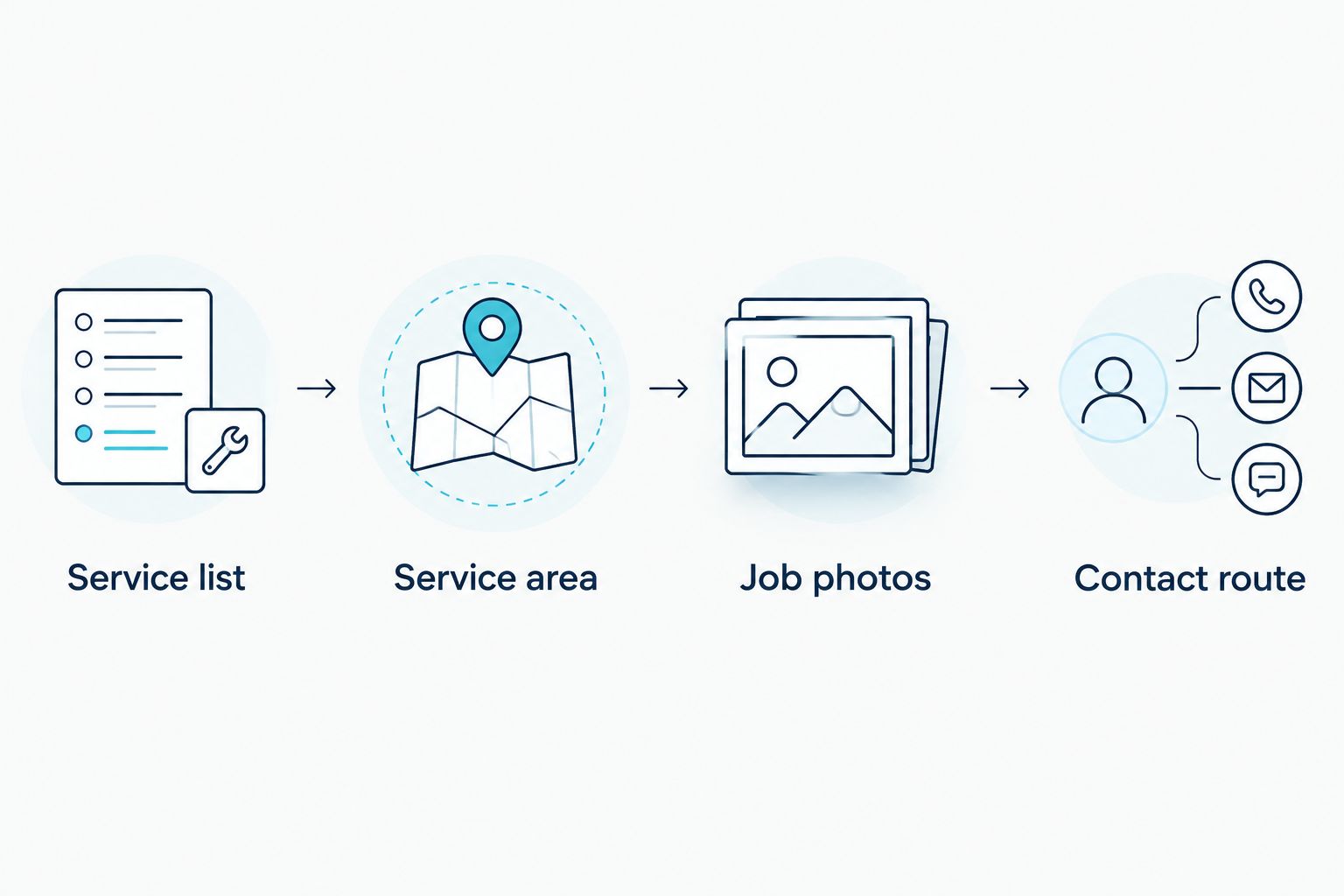
- Service list: Give each main type of work a clear name.
- Service area: Name places you serve without adding places you do not.
- Job photos: Match images to the work described on the page.
- Contact route: Tell customers what information to send with an enquiry.
Build the smallest useful site first
You can start manually with a website builder and your own copy. Build a home page that summarises the work, a clear way to see service details and a contact route you can maintain. Add pages when they answer distinct questions; do not create near-identical pages for every suburb simply to repeat a location name.
Compare builders on whether you can edit the site yourself, how contact forms work and what happens if you want to move later. The right tool is one you can keep accurate. If you cannot make a small content change without rebuilding the site, that limitation matters more than a decorative feature.
- Draft the copy: Write services and work areas in a document before moving them into a builder.
- Choose a layout: Check the phone view before committing to a template.
- Add navigation: Use menu labels that describe what the visitor will find.
- Publish essentials: Include a working contact route before adding optional sections.
Show real work without overstating it
Use photos you have permission to publish and captions that say what the job involved. A picture of a finished bathroom does not tell a customer whether you handled the plumbing, tiling or both. Say which part was yours. Remove personal details and get permission before identifying a customer or their property.
If preparing and publishing the site is taking time away from jobs, discuss the build with a service provider. Blessing M Digital offers websites through a one-person creative and digital studio. Ask what pages, content work and revisions are included in the proposed scope rather than assuming every task is covered.
- Choose relevant photos: Match each image to a service you currently offer.
- Describe your role: State the work you performed, not the entire project unless it was yours.
- Check permission: Do not publish customer details or identifiable property information without approval.
- Review claims: Remove qualifications, affiliations or outcomes you cannot substantiate.
Make contacting you straightforward
Offer contact methods you will actually monitor. A phone number is useful if you can answer or return calls; a form is useful if its messages reach the right inbox. State what a customer should include, such as the type of job and location, so you can assess the enquiry.
Do not make visitors search through a long gallery to find contact details. On a phone, check that the contact option is visible, the text is readable and the form can be completed. This is a manual check you can perform before paying anyone to change the design.
- Test the phone number: Confirm it dials the intended number from a mobile device.
- Submit the form: Check that the message arrives and contains the fields you need.
- Request job details: Ask for the location and a short description of the work.
- Remove dead ends: Replace any contact method you no longer monitor.
Check each page against a real customer question
Read the site as someone who has a specific job, not as its owner. Can they tell whether you take that work? Can they establish whether you cover their location? Can they see a relevant example and send an enquiry? If a page cannot answer its intended question, edit the words before changing colours or animations.
A 2026 review should also catch details that change: services you have stopped offering, outdated work-area claims and forms that no longer deliver messages. Search visibility cannot make an inaccurate page useful to a customer.
- Check service accuracy: Remove work you no longer accept.
- Check area accuracy: Update place names when your coverage changes.
- Check image captions: Make sure each description matches the work shown.
- Check enquiries: Send a test message through every published route.
Maintain the site after launch
Treat the website as a record of what you currently do. Add a completed job when you can explain your role and publish the image. Edit a service page when the work you accept changes. You do not need to publish a new page merely to make the site appear active.
Keep ownership and access clear whether you build the site yourself or commission it. Before approving a service proposal, ask who can edit the content, who controls the domain and how changes will be handled. The answers belong in the agreed scope, not in an assumption made after launch.
- Keep access: Record where the domain and website accounts are managed.
- Update services: Change the wording when your actual work changes.
- Refresh examples: Add only jobs you can describe accurately.
- Retest contact routes: Confirm that new enquiries still reach you.
Which website option fits your trade business?
DIY is the first option to consider when you can write accurate copy, select your own job photos and maintain the site. A done-for-you build is a better fit when you need someone to assemble and publish the site. In either case, ask what is included before choosing on appearance alone.
| Option | Best for | Key limitation | What to check |
|---|---|---|---|
| DIY website builder | Tradespeople willing to write, build and update their own site | You must handle content, setup and upkeep | Editing access, phone layout and contact forms |
| Independent web designer | Tradespeople with defined content who want a person to build the site | The scope varies by provider | Included pages, revisions and handover |
| Blessing M Digital website service | South African tradespeople who want to discuss the build directly with a one-person studio | Do not assume a specific deliverable is included without an agreed scope | Pages, content responsibilities and ongoing changes |
Blessing M Digital website design is best for South African tradespeople who want direct contact with a one-person studio, provided the agreed scope covers the work they need. Its one-person setup is clear; the exact website deliverables still need to be specified for your project. No option removes your responsibility to verify the service claims and work examples published under your name.
Common website mistakes tradespeople make
- Hiding the service area. A visitor should not have to send a message just to learn whether you work in their town. State your coverage and explain any job-dependent limits.
- Using photos without context. A finished project is not proof that you did every part of it. Caption your contribution and get permission where needed.
- Publishing a form without testing it. Send an enquiry from a phone and confirm that it arrives. Repeat the check after changes to the site.
- Buying a design before agreeing the content. A builder or designer still needs accurate services, areas and examples. Set out who supplies those items and who publishes them.
FAQ
What should a tradesperson’s website include in South Africa?
Include the work you accept, the areas you serve, relevant job examples and a working contact route. State limits clearly so customers can tell whether their job fits.
Can I build my own tradesperson’s website?
Yes, you can build it with a website builder if you can write the content and keep it accurate. Test the phone layout and every contact route before publishing.
Is a DIY website better than hiring a designer?
DIY is better when you can manage the writing, setup and updates yourself. Hire help when you need someone to build the site, and agree the deliverables first.
What should I ask a website designer before work starts?
Ask which pages, content tasks, revisions and handover steps are included. Confirm who controls the domain and who can edit the finished site.
Do tradespeople need a separate page for every area?
No, a separate page is useful only when it gives customers distinct, accurate information. Do not publish near-identical pages that simply swap place names.
How do I show completed work on a tradesperson’s website?
Use photos you have permission to publish and describe the part of the job you performed. Remove customer details unless you have approval to share them.
Can Blessing M Digital build a website for a tradesperson?
Blessing M Digital offers website services to South African businesses through a one-person studio. Discuss the pages and other deliverables you need before agreeing the scope.
One last thing
Before you pay for a 2026 redesign, send yourself an enquiry through the current site. If it fails, fix that route first. A clearer service list and a working contact method give your next design decision a purpose: helping the right customer establish what you do and reach you.