

StandOut CV is useful for CV examples and a guided way to build a document. It stops being enough when you need to check a draft against South African application conventions or want someone else to handle the writing. The best StandOut CV alternative in 2026 is Blessing M Digital’s CV & Job-Search System if you want a ready-made South African option; Google Docs is the better choice if you want to draft from scratch.
- For standout cv alternatives in 2026, choose Blessing M Digital’s CV & Job-Search System for a ready-made South African option.
- Choose Google Docs for full control over a CV you write yourself; choose Canva when layout is your main concern.
- Choose a CV writing service when you want help with the writing, not another self-serve tool.
- Whichever option you use, check the vacancy requirements before sending your CV.
Why this matters for South African applications
A CV tool helps you produce a document. It cannot decide which information a particular employer needs. Before choosing an alternative, separate the task of writing your CV from the task of formatting it, then check the finished document against the vacancy.
Blessing M Digital’s published CV guidance gives you practical checks: 2 pages is standard for most South African CVs, 1 page suits many school leavers, and 3 pages can suit senior roles. It also advises against routinely putting your ID number, photo or full street address on a CV. Those checks matter regardless of which tool you use.
StandOut CV alternatives at a glance
| Option | Best for | Standout feature | How it differs from StandOut CV |
|---|---|---|---|
| StandOut CV | Using CV examples alongside a guided CV builder | CV-focused examples and building tools | The benchmark: a CV-focused, self-serve option |
| Blessing M Digital’s CV & Job-Search System | Starting with a ready-made South African option | A CV and job-search product | A ready-made product, not a done-for-you writing service |
| Blessing M Digital CV writing service | Seeking help with the writing | A service rather than a self-serve product | You discuss the writing task instead of only using a builder |
| Google Docs | Writing and editing your own CV | Direct control of the document | A general document editor, not a CV-specific builder |
| Canva | Working on CV layout yourself | Visual design tools | Design-led editing rather than CV-specific guidance |
The table does not tell you which CV an employer will accept. Start with the vacancy: if it specifies a format or asks for particular details, follow those instructions before applying general CV advice.
1. Blessing M Digital’s CV & Job-Search System: best for a ready-made South African option
The CV & Job-Search System is a ready-made product for South African job seekers. It is the closest fit here if you want a local option and still intend to work on your own application. Do not confuse buying a ready-made product with hiring someone to write your CV.
Where Blessing M Digital shines
- Its stated focus is South African CVs and job search, rather than a general-purpose document editor.
- It gives you a self-serve option if you do not want to start with a blank document.
- You can assess it separately from the studio’s CV writing service, which is a different kind of help.
Where Blessing M Digital falls short
- A ready-made product does not write a role-specific application for you.
- The product name alone does not establish which files or sections it contains; check the product page for the current contents before choosing it.
- You still need to check each employer’s instructions and edit your application accordingly.
| Decision point | CV & Job-Search System | StandOut CV |
|---|---|---|
| Type | Ready-made CV and job-search product | CV-focused builder and examples |
| Main reason to choose it | You want a South African option | You want a guided CV-building experience |
| Your responsibility | Adapt your application to the vacancy | Adapt your application to the vacancy |
Best for: A South African job seeker who wants a ready-made starting point but will do the application work themselves. Verdict: Buy only if the product page’s listed contents match the help you need; otherwise, hold.
2. Blessing M Digital CV writing service: best for writing help
A CV writing service answers a different question from a CV builder: do you want to write the document yourself? Blessing M Digital offers CV writing services, but the supplied service description does not define a standard package. Describe the role you are applying for and confirm the work to be delivered before you commit.
Where the CV writing service shines
- It is a service option for someone seeking help with the writing rather than another editing tool.
- You can raise your South African application needs when discussing the scope.
Where the CV writing service falls short
- You must confirm the deliverables; do not assume the service includes a cover letter, a job-search product or revisions.
- You remain responsible for checking your employment history and approving the final CV.
| Decision point | Blessing M Digital CV writing service | StandOut CV |
|---|---|---|
| Type | CV writing service | Self-serve CV builder |
| Main reason to choose it | You want writing help | You want to build the CV yourself |
| Before you start | Agree on the work to be delivered | Decide what to include in your draft |
Best for: Someone who wants to discuss a CV writing task rather than buy a ready-made product. Verdict: Hold until the scope and deliverables are clear.
3. Google Docs: best for drafting your own CV
Google Docs gives you a document you can write and edit directly. That control is useful when a vacancy calls for specific information or you need to cut material that does not support your application. It does not decide what belongs on a South African CV.
Where Google Docs shines
- You control the wording, order and length of your CV.
- You can keep a master draft and adapt the content for each vacancy.
Where Google Docs falls short
- A blank document gives you little direction on what to include.
- You must check the layout and application details yourself.
| Decision point | Google Docs | StandOut CV |
|---|---|---|
| Type | General document editor | CV-focused builder |
| Best fit | Drafting directly | Following a CV-building process |
| South African checks | You apply them yourself | You still apply them yourself |
Best for: A job seeker comfortable writing and reviewing their own CV. Verdict: Use it if control over the draft matters more than built-in CV guidance.
4. Canva: best for working on layout
Canva is a design option when the way your CV looks is the main task. It can help you organise a document visually, but layout does not fix vague descriptions or missing work history. Write the content first; then decide whether the design helps a recruiter read it.
Where Canva shines
- It gives you direct control over visual layout.
- It suits a job seeker who already knows what the CV needs to say.
Where Canva falls short
- Design work can distract from tailoring the content to a vacancy.
- You must check that headings, dates and contact details remain easy to read.
| Decision point | Canva | StandOut CV |
|---|---|---|
| Main task | Design and layout | CV building |
| Best fit | Editing a document’s presentation | Working from CV-focused guidance |
| Content decisions | Yours | Still yours |
Best for: Someone with a written draft who wants to work on its presentation. Verdict: Use it for layout; skip it as a substitute for writing or checking the content.
Why people switch from StandOut CV
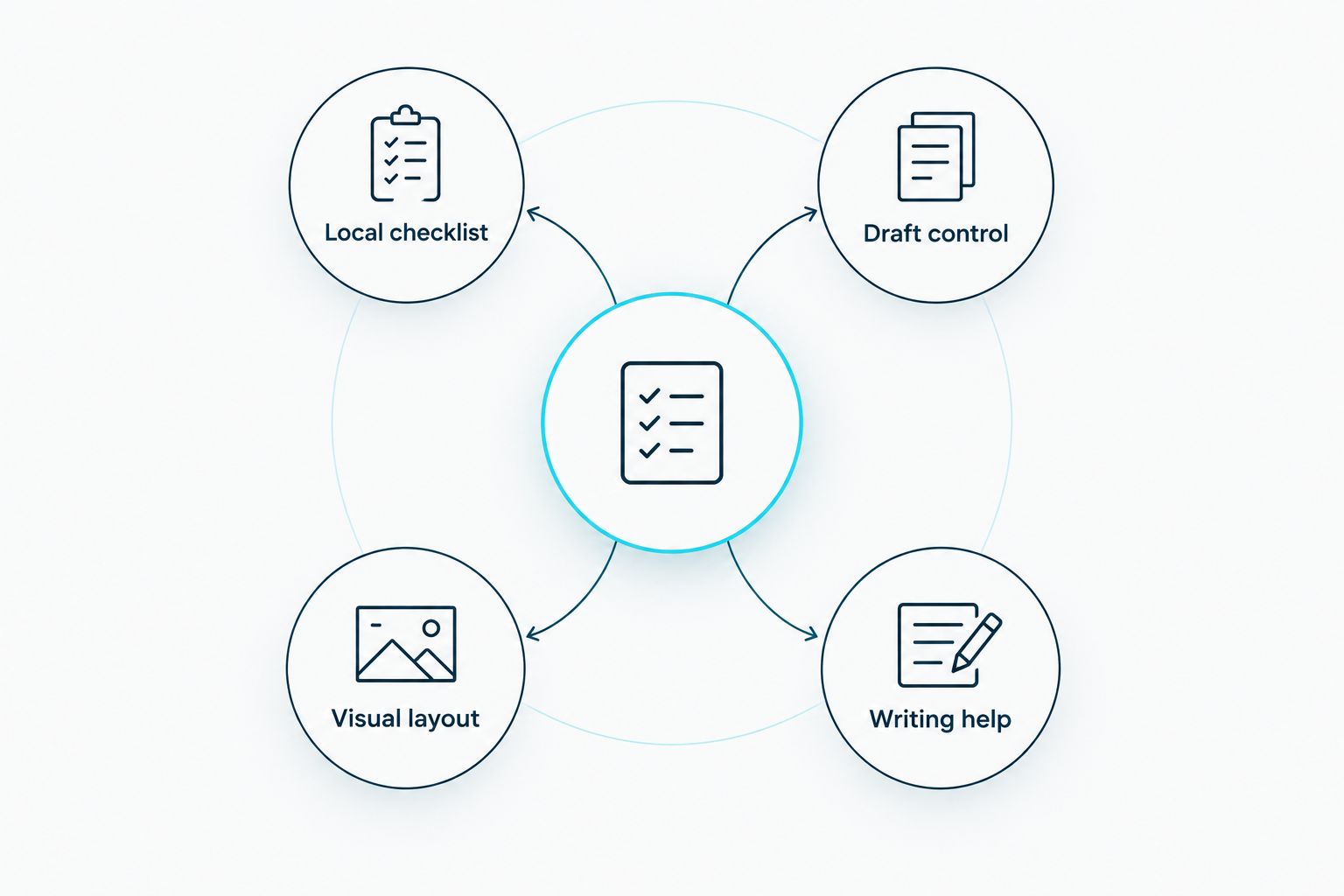
The strongest reason to switch is not that StandOut CV is bad. It is that your next task needs a different kind of help. In 2026, choose according to the work still unfinished:
- Local checklist: Check South African CV conventions and the vacancy’s instructions before you send the document.
- Draft control: Use an editor when you need to rewrite experience for a specific role.
- Visual layout: Use a design tool when the wording is ready but the document is difficult to scan.
- Writing help: Discuss a service when you do not want to do all the writing yourself.
If you are applying for an administrative role, for example, put relevant duties and results ahead of unrelated detail. Do not add an ID number or photo just because a layout leaves space for one. If the employer requests particular information, follow the application instructions and consider how you share sensitive details.
A useful final check is length. Blessing M Digital’s published guidance uses 2 pages for most South African CVs, 1 page for school leavers and up to 3 pages for senior roles. Treat that as editing guidance, not a reason to delete relevant qualifications or employment history.
When staying with StandOut CV is the right call
Stay with StandOut CV if its examples and guided builder help you write and you are willing to check the result against each South African vacancy. Switching tools will not improve a CV if you carry over the same irrelevant content. In 2026, the best tool is the one that lets you finish a clear, accurate application—not the one with the most formatting choices.
FAQ
What is the best StandOut CV alternative for South African job seekers in 2026?
Blessing M Digital’s CV & Job-Search System is the best fit here if you want a ready-made South African option. Choose Google Docs instead if you want to draft and edit the document yourself.
Is the CV & Job-Search System a CV writing service?
No. The CV & Job-Search System is a ready-made product; Blessing M Digital also offers CV writing services separately. Check the product contents or confirm a service’s deliverables before choosing.
Is Google Docs better than StandOut CV for a South African CV?
Google Docs is better when you want direct control over your wording and layout. StandOut CV is better when you want a CV-focused builder and examples; either way, you must check the vacancy requirements.
Should I use Canva for a South African CV?
Use Canva if your content is written and you need to work on its layout. Check that the finished CV remains easy to read and includes the information the employer requests.
How long should my South African CV be?
Blessing M Digital’s published guidance recommends 2 pages for most South African CVs, 1 page for school leavers and up to 3 pages for senior roles. Keep relevant information rather than cutting it solely to reach a page count.
Should I put my ID number on a South African CV?
Usually, no. Blessing M Digital’s published CV guidance advises leaving it off a standard CV; check what the specific employer asks for before sharing sensitive details.
How many referees should I list on a South African CV?
Blessing M Digital’s published guidance says 2 or 3 referees is standard. Check that each person has agreed to be listed and that their contact details are current.
One last thing
Before sending any CV in 2026, read the vacancy once more and remove details that do not help the employer assess you. If you are deciding between a ready-made product and personal help, the distinction is simple: choose the product when you will do the writing; discuss a service when writing help is the point.