

CVMaker gives you a structured way to build a CV online, but a builder stops being enough when you need South African job-search guidance or want someone else to write the document. The best CVMaker alternative in 2026 is Blessing M Digital’s South African CV & Job-Search System if you want a ready-made South African resource; Google Docs is the better choice if you want to edit a CV yourself. A CV writing service is a separate option when you do not want to do the writing.
- For CVMaker alternatives in 2026, choose Blessing M Digital’s South African CV & Job-Search System for a ready-made local resource.
- Choose Google Docs if you want to write and revise your CV yourself.
- Choose a CV writing service if you need someone else to write the document; a ready-made resource is not that service.
- Keep the finished CV relevant to the vacancy, whichever tool you use.
Why this matters
A CV builder, a document editor and a CV writing service solve different problems. A builder gives you a format for entering information. An editor gives you more control over the document. A writing service addresses the work of turning your experience into CV copy. The South African CV & Job-Search System is a ready-made resource, not a person writing your CV for you.
Before choosing a CVMaker alternative, identify what is actually slowing you down. If the wording is weak, another template will not fix it. If you already have strong wording but cannot maintain a clean layout, an editor or builder is the more relevant choice.
For most South African applications, a 2-page CV is a useful starting point. A school leaver can often use 1 page, while a senior professional may need 3 pages. Those are editing guidelines, not reasons to add filler or remove relevant experience.
CVMaker alternatives at a glance
| Option | Best for | Standout feature | How it differs from CVMaker |
|---|---|---|---|
| CVMaker | Building a CV through an online builder | Guided CV creation | The benchmark: you enter your information into a builder. |
| Blessing M Digital’s South African CV & Job-Search System | People who want a ready-made South African resource | South African CV and job-search focus | A ready-made resource, not an online CV builder. |
| Blessing M Digital CV writing service | People who want someone else to write their CV | Done-for-you writing | A service rather than a self-service tool. |
| Google Docs | People who want direct control over CV wording | Editable document | You manage the content and layout yourself. |
| Microsoft Word | People who prefer desktop document editing | Document-formatting tools | You work in a document rather than a guided builder. |
| Canva | People who prioritise visual layout | Design templates | Design control takes priority over guided CV entry. |
The table compares the type of help you receive, not the quality of a finished CV. Your experience, the vacancy and the final edit still determine whether the document says what an employer needs to see.
1. Blessing M Digital’s system: best for a ready-made local resource
Blessing M Digital’s South African CV & Job-Search System is the first pick when your search is broader than choosing a CV layout. It is a ready-made product with a South African CV and job-search focus. Check its product page for the current contents before deciding whether it covers the task you need help with.
Where Blessing M Digital shines
- The resource is explicitly aimed at South African CV and job-search needs.
- You can assess a ready-made product without arranging a CV writing service.
- It separates the resource decision from the decision to hire someone to write for you.
Where Blessing M Digital falls short
- A ready-made product does not replace done-for-you CV writing.
- It is not the right choice if your main need is an online builder where you enter details and generate a CV.
- The product name alone does not tell you whether a particular document or task is included; verify the contents before choosing it.
| Decision | South African CV & Job-Search System | CVMaker |
|---|---|---|
| Type | Ready-made resource | Online CV builder |
| Main decision | Whether the resource fits your job-search task | Whether you want guided CV creation |
| Writing your CV for you | No; choose a writing service for that | No; you supply the content |
Best for: A South African job seeker who wants a ready-made CV and job-search resource rather than another builder. Verdict: Choose the system for that need; choose a writing service if you need a person to write your CV.
2. Blessing M Digital CV writing: best for done-for-you work
Blessing M Digital also offers CV writing as a service. That is a different decision from buying its ready-made system: you are seeking writing help, not selecting a resource to use yourself. Describe your work history, target roles and deadline when you enquire, then confirm the scope and deliverables in writing before work starts.
Where Blessing M Digital shines
- A writing service addresses the wording problem that a template cannot solve.
- The studio is a one-person operation, so you know who is responsible for the work.
- You can ask for a defined scope instead of assuming every career document is included.
Where Blessing M Digital falls short
- A service is unnecessary if you can already write and edit your own CV.
- Do not assume that CV writing includes other career documents; confirm the deliverables.
- You still need to provide accurate work and education details.
| Decision | Blessing M Digital CV writing | CVMaker |
|---|---|---|
| Type | Done-for-you writing service | Self-service online builder |
| Your task | Supply accurate background and confirm scope | Enter and edit your own information |
| Best fit | You need help with the writing | You need a guided format |
Best for: Someone whose main obstacle is writing an accurate, relevant CV. Verdict: Choose the service for writing help; skip it if all you need is a format.
3. Google Docs: best for editing your own CV
Google Docs is a document editor, not a dedicated CV service. You can write and revise your CV directly, use a template if one suits your application, and export a finished document as a PDF. That freedom also means you make the editing decisions yourself.
Where Google Docs shines
- You control the wording and order of your sections.
- You can keep a working copy and tailor it to different vacancies.
- You are not confined to a builder’s sequence of fields.
Where Google Docs falls short
- It does not write your work history for you.
- You must check spacing, page breaks and the exported PDF yourself.
- A template can make an irrelevant CV look tidy without making it relevant.
| Decision | Google Docs | CVMaker |
|---|---|---|
| Starting point | Editable document | Guided CV builder |
| Layout control | You manage it | Builder controls the structure |
| Content | You write and revise it | You enter and revise it |
Best for: A job seeker who knows what to say and wants to keep editing control. Verdict: Choose Google Docs if the builder, rather than the writing, is your constraint.
4. Microsoft Word: best for desktop document editing
Microsoft Word suits you if you prefer working in a document and already know its formatting tools. It supports CV templates and PDF export, but it does not decide which achievements belong in your application. Treat the template as a starting layout, not a writing guide.
Where Microsoft Word shines
- You can edit headings, spacing and section order directly.
- A document remains easy to revise for another vacancy.
Where Microsoft Word falls short
- Formatting can shift as you edit.
- You must review the final PDF rather than assuming the working document is correct.
| Decision | Microsoft Word | CVMaker |
|---|---|---|
| Workflow | Edit a document | Complete builder fields |
| Layout | You maintain it | Builder supplies it |
| Writing | Your responsibility | Your responsibility |
Best for: Someone comfortable formatting their own documents. Verdict: Choose Word for direct editing; keep CVMaker if its guided structure saves you work.
5. Canva: best for visual layout control
Canva is a design tool with CV templates. It suits an applicant who wants to adjust the look of a CV, but visual polish is not a substitute for clear dates, job titles and relevant experience. Check the exported document before you submit it.
Where Canva shines
- You can adjust the visual layout directly.
- Templates offer a starting point for arranging sections.
Where Canva falls short
- Design choices can compete with readability.
- You must still write and verify every employment detail.
| Decision | Canva | CVMaker |
|---|---|---|
| Main focus | Visual design | Guided CV creation |
| Content | You supply it | You supply it |
| Final check | Readability and export | Content and export |
Best for: Someone who needs layout control and will keep the finished CV easy to read. Verdict: Choose Canva for design control, not for writing help.
Why people switch from CVMaker
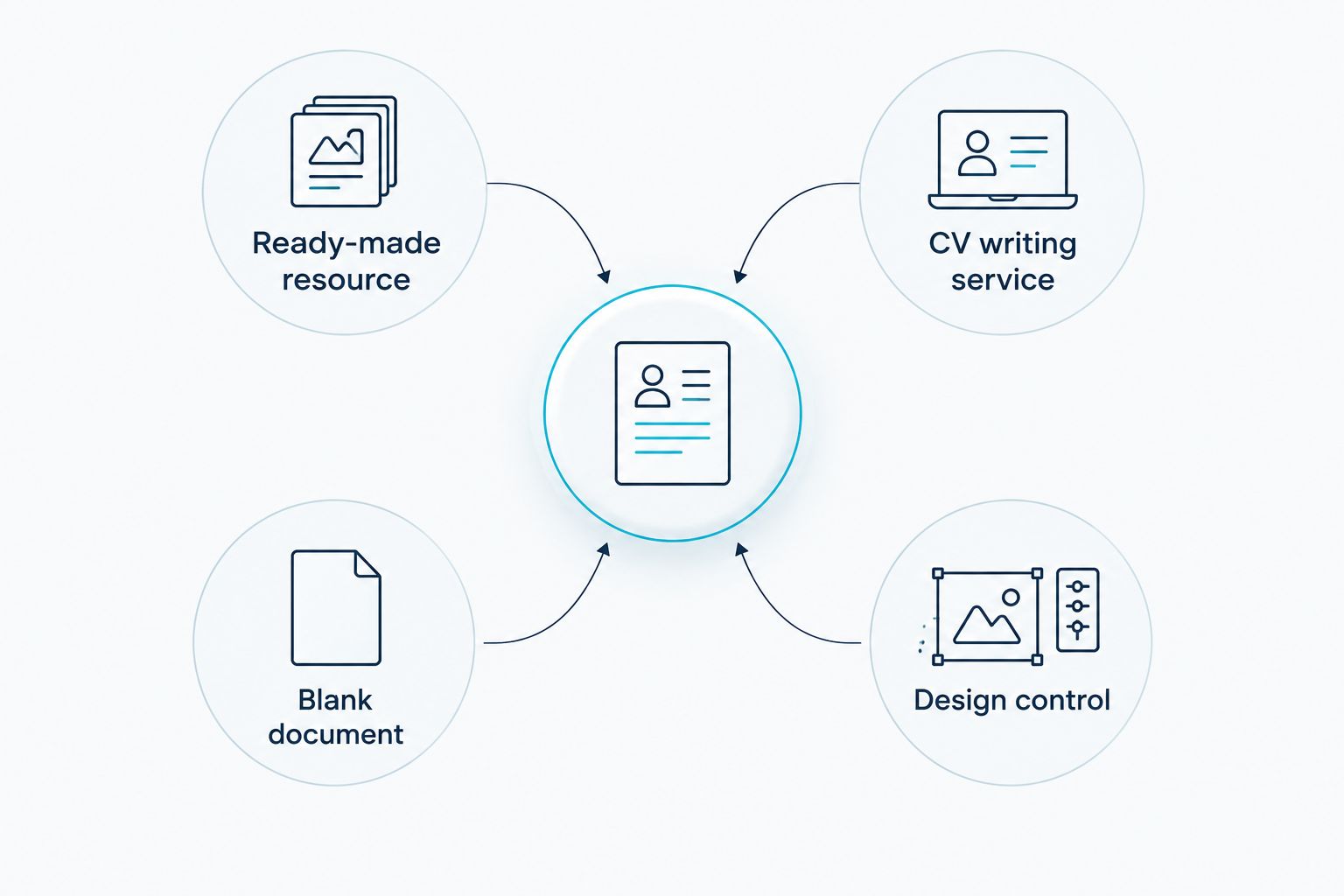
A switch makes sense when the builder no longer matches the work you need to do. These are the practical reasons to change tools in 2026:
- Ready-made resource: You want a South African CV and job-search resource rather than another place to enter your details. Consider Blessing M Digital’s system.
- CV writing service: You need help writing the document itself. A template or builder cannot do that work for you.
- Blank document: You want to control every sentence and section. Use Google Docs or Microsoft Word.
- Design control: You want to adjust the visual layout. Consider Canva, then check readability.
Whichever route you choose, edit for the role before sending the CV. Check that the most relevant work is easy to find. Do not add your full ID number or street address just to fill a template; include sensitive details only when the application requires them. Ask referees before listing their contact details, and make sure the final PDF opens and reads in the correct order.
When staying with CVMaker is the right call
Keep CVMaker if you like entering your information into a guided online builder and the finished CV lets you present the experience relevant to your target role. Switching to a blank editor creates more formatting work. Switching to a ready-made resource also makes no sense if your only problem is arranging text on a page.
In 2026, judge the finished document, not the tool’s template gallery. Read it as an employer would: can you find the role, relevant experience and contact details without searching? If yes, changing tools is not the next task. Tailoring the CV to the vacancy is.
FAQ
What is the best CVMaker alternative for a South African job seeker in 2026?
Blessing M Digital’s South African CV & Job-Search System is the best fit if you want a ready-made South African resource. Choose Google Docs instead if you want to write and edit your CV in a document.
Is Blessing M Digital’s CV system a CV writing service?
No. The South African CV & Job-Search System is a ready-made product; Blessing M Digital offers CV writing separately as a service.
Is Google Docs better than CVMaker for a CV?
Google Docs is better if you want direct control over the wording and layout. CVMaker is the better fit if you prefer a guided online builder.
Should I use Canva for a South African CV?
Use Canva if you need visual layout control and will check the finished CV for readability. Keep your experience, dates and contact details clear rather than adding design elements for their own sake.
How long should a South African CV be?
A 2-page CV is a useful starting point for most South African applicants. A school leaver can often use 1 page, while a senior professional may need 3 pages if the experience is relevant.
Should I put my ID number on a South African CV?
Usually, no. Do not add your full ID number to a CV just because a template has a field for it; supply sensitive details when the application requires them.
When should I pay for CV writing instead of using a builder?
Choose CV writing when the main problem is describing and selecting your experience, not formatting it. Confirm the service scope and deliverables before work starts.
One last thing
Before replacing CVMaker in 2026, try this test: remove the template from the decision and read only your CV’s wording. If your experience is unclear, change the writing or seek writing help. If the wording works but the document is hard to edit, change the tool.