

Best overall: Canva for routine social posts and flyers. Best for vector logos: Inkscape. Best for photo editing: GIMP. This 2026 guide compares free graphic design software by the work a South African small business needs to finish, not by the length of each tool’s feature list.
- Canva is the best free graphic design software for South African SMEs making routine posts and flyers in 2026.
- Choose Inkscape for a vector logo, GIMP for photo edits and Photopea for layered files in a browser.
- Adobe Express suits businesses that need short video posts alongside static graphics.
- Blessing M Digital offers branding services when a template cannot settle your brand decisions.
Why this matters
A Facebook post, a product photo and a logo are different design jobs. Choosing one free tool for all three often means wrestling with the wrong kind of file. In 2026, start with the output you need, then choose software that can make and export it.
A tool also does not decide what your business should look like. If you need help with the branding itself rather than software for making individual graphics, Blessing M Digital offers branding services to South African businesses. The tools below are do-it-yourself options; the studio’s service is a separate choice.
What makes the best free graphic design software?
Use these criteria before choosing a tool. A feature you will never use matters less than an export you need this week.
- Task fit: Match the software to posts, photos, logos, layered edits or video. Do not pick a logo tool because it has attractive social templates.
- Editable output: Keep a working file you can reopen. A finished image alone makes later changes harder.
- Export format: Check what the printer, website or social platform accepts before you start designing.
- Learning time: A shop owner making a weekend notice has a different deadline from someone learning to draw a logo.
- Free-access limits: Check the current terms for templates, assets, exports and commercial use. Do not assume every item shown in an editor is available under the same terms.
- Working setup: Decide whether you need a browser tool or software installed on your computer.
Free graphic design tools at a glance
| Tool | Best for | Standout feature | Key limitation |
|---|---|---|---|
| Canva | Routine social posts and flyers | Template-based layouts | Templates do not make brand decisions for you |
| Adobe Express | Short video posts with matching graphics | Video and graphic editing in one editor | Check which assets and features are available with free access |
| GIMP | Editing product and team photos | Detailed raster-image editing | Slower than a template tool for quick posts |
| Inkscape | Creating a vector logo | Editable vector shapes and SVG files | Not built for fast, template-led social posts |
| Photopea | Opening and changing layered files in a browser | Browser-based layer editing | A layered editor still takes time to learn |
Canva is the default choice for South African SMEs making their own routine marketing graphics in 2026. If the job is specifically a logo, photo repair or an existing layered file, choose the specialist tool instead.
1. Canva: best free graphic design software for routine posts
Canva is a browser-based design tool built around editable layouts and templates. Use it for a trading-hours notice, an event flyer or a social post when you need to arrange text and images without drawing every element yourself.
Start with one format you actually publish, then replace the example text and images. Check spelling, contact details and whether the final graphic is readable on a phone. Save an editable version so the next notice does not require a fresh layout.
Canva pros:
- Templates give you a starting layout for common marketing formats.
- Text and image placement suits repeatable posts.
- An editable design makes routine changes easier.
Canva cons:
- A template cannot tell you whether the colours, type and message fit your business.
- You must check the access terms for any asset you choose.
Best for: A small business owner producing regular posts or flyers. Verdict: Buy into the free workflow for routine graphics; do not mistake a template for a finished brand identity.
2. Adobe Express: best for short video posts and graphics
Adobe Express lets you work on graphics and short video in a browser-based editor. Choose it when a campaign needs a static announcement and a short video post, rather than a detailed photo-editing session or a vector logo file.
For a South African business announcing an event, prepare the message first: what is happening, where, and how someone can respond. Then make the video and graphic versions. Check the current access terms before building either version around a particular asset or feature.
Adobe Express pros:
- Handles both graphics and short video.
- Templates offer a starting point for marketing layouts.
- Browser access avoids a desktop installation.
Adobe Express cons:
- Availability of individual assets and editing features needs checking before you commit to a layout.
- It is not the specialist choice for detailed photo retouching or vector drawing.
Best for: A business preparing video posts alongside static campaign graphics. Verdict: Hold unless short video is part of the job; choose Canva for routine static posts.
3. GIMP: best for editing product and team photos
GIMP is a desktop image editor for raster graphics: images made of pixels, including photographs. Use it to crop a product shot, correct an image or remove a distracting element before that photo goes into a post or flyer.
Keep the original photo untouched and save an editable working version. Export a separate copy for publishing. If the source image is blurry, editing cannot supply detail that was never captured; take a clearer photo before spending time on a complicated fix.
GIMP pros:
- Gives you detailed control over photo edits.
- Supports an editable working file.
- Fits photo preparation before you lay out a marketing graphic elsewhere.
GIMP cons:
- Takes more learning than changing text in a template.
- It is not the quickest route to a flyer or social-post layout.
Best for: Someone who regularly needs to prepare business photos. Verdict: Buy into GIMP for repeat photo work; skip it when the task is only a text-led notice.
4. Inkscape: best for creating a vector logo
Inkscape is a desktop vector editor. Unlike a photograph, a vector drawing uses editable shapes and paths. That makes it suitable for drawing a logo or icon that needs to work at different sizes.
Before opening Inkscape, write down your business name as it should appear and decide where the mark will be used. Draw a simple version first. Test whether it remains legible on a small screen and in a single colour; extra detail that disappears at small size is not helping.
Inkscape pros:
- Editable shapes suit logo and icon drawing.
- SVG files preserve vector artwork for later changes.
- It gives you control beyond rearranging a template.
Inkscape cons:
- Learning vector drawing takes time.
- The software does not decide your positioning, name or visual direction.
Best for: A business owner prepared to draw and maintain a vector mark. Verdict: Buy into Inkscape for the drawing task, not as a substitute for making brand decisions. Blessing M Digital’s branding service is the separate option if those decisions are the part you need help with.
5. Photopea: best for editing a layered file in a browser
Photopea is a browser-based image editor that works with layers and can open PSD files. It is useful when someone sends you an editable design and your job is to change a line of text or replace an image without installing a desktop editor.
First, keep an untouched copy of the file. Make the requested change, check the alignment and export a copy for the intended use. Do not flatten your only editable version if further changes are likely.
Photopea pros:
- Opens layered files in a browser.
- Suits targeted changes to an existing design.
- Lets you keep separate elements editable while you work.
Photopea cons:
- Layers and file formats require more care than a simple template.
- Opening a file does not guarantee every element will look exactly as intended; inspect the result before publishing.
Best for: Someone given a layered file to update. Verdict: Hold until that file arrives; Canva is the simpler starting point for a new routine post.
Which tool matches your next job?
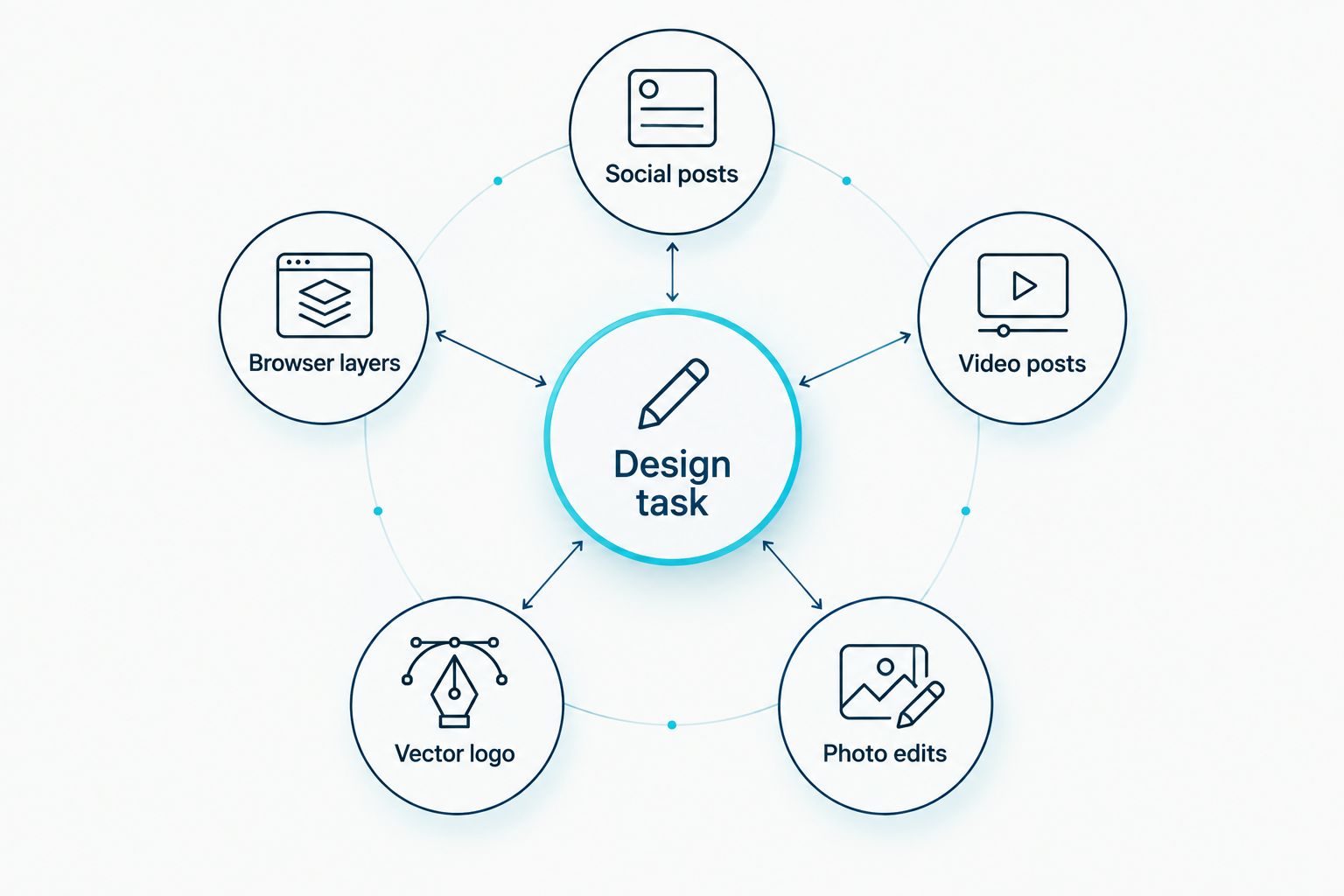
Name the design task before choosing software. For social posts, start with Canva. For video posts, assess Adobe Express. Choose GIMP for photo edits, Inkscape for a vector logo, and Photopea for browser layers in an existing file. This 2026 decision is about the deliverable, not which editor has the longest menu.
If you need several kinds of graphics, use more than one tool rather than forcing every job into one editor. Edit a photograph in GIMP, for example, then place the finished image in a Canva layout. Keep the working files as well as the exported versions.
Do not begin with a template when you still need to decide what your business should say or how it should be recognised. In 2026, Blessing M Digital is a branding-service option for that separate problem; it is not another free software pick.
How we ranked these tools
The ranking prioritises a common small-business task: making routine graphics without specialist drawing skills. That puts Canva first, while Adobe Express earns its own place for video posts. GIMP, Inkscape and Photopea rank by their distinct jobs rather than as weaker versions of the same template editor.
There is no single winner for every file. A logo needs editable vector artwork; a product photo needs image editing. The table and verdicts reflect those differences, not a claim that one application performs every task best.
Which free graphic design software should you choose?
Choose Canva if you are undecided and need to publish routine business posts in 2026. Choose Adobe Express when short video is part of the assignment, GIMP when the source photo needs work, Inkscape when you need to draw a vector logo, or Photopea when you have a layered file to update.
Before publishing, check the text, the intended use of any assets and the exported file. Keep the editable source. If the difficult part is defining the brand rather than operating the editor, Blessing M Digital offers branding services; that is a service decision, not a reason to buy software.
FAQ
What is the best free graphic design software for South African SMEs in 2026?
Canva is the best starting point for South African SMEs making routine social posts and flyers in 2026. Choose a specialist editor if the job is photo editing, vector drawing or changing a layered file.
Is Canva or Inkscape better for a business logo?
Inkscape is better when you need to draw an editable vector logo. Canva is easier for arranging routine marketing layouts, but choosing a template is not the same as defining a brand.
Should I use GIMP or Canva for product photos?
Use GIMP to edit the photograph and Canva to place the finished image in a post or flyer. Keep the original photo and an editable working file.
Can Photopea edit a PSD file without desktop software?
Yes, Photopea can open PSD files in a browser. Check the result carefully before exporting because an opened file still needs a visual review.
Which free design tool should I use for short video posts?
Adobe Express is the pick here for short video posts alongside graphics. Check its current free-access terms for the assets and features your specific project needs.
Do I need branding services if I use free design software?
You need a branding service only if you want help defining the brand rather than making graphics yourself. Blessing M Digital offers branding services; Canva, GIMP and Inkscape are do-it-yourself tools.
One last thing
Do a file check before investing time in a 2026 design: ask who needs to edit it next and what format they need. A polished exported image is less useful when the next person needs to change the wording and nobody kept the editable source.