

Best overall: Google Docs for a straightforward CV you can edit and reuse. Best for employers requesting a Word file: Microsoft Word. Best for design-led roles: Canva. These are the best CV builder apps for South African job seekers in 2026 if you choose by the application you need to submit, not by how impressive a template looks. Google Docs is the default choice for most applicants. If you want a ready-made resource rather than an app, The South African CV & Job-Search System from Blessing M Digital is a separate option.
- Google Docs is the best CV builder app for most South African job seekers who need an editable, straightforward CV.
- Microsoft Word is the best fit when an employer asks for a Word document.
- Canva suits design-led applications, but check that every CV detail stays readable when exported.
- Blessing M Digital's South African CV & Job-Search System is a ready-made resource, not a CV builder app.
Why this matters
A CV builder is useful only if its final document suits the vacancy. In 2026, a South African employer might ask you to upload a CV, email it as an attachment or complete an application form. Follow the instruction in the advert first; your choice of app comes second.
The risks are practical: a crowded layout can hide your experience, an unsuitable file can hold up an application, and a generic CV can miss the requirements named in the advert. None of the apps below writes your work history for you. You still need to check dates, job titles, contact details and spelling before sending anything.
What makes the best CV builder app?
Use these criteria before choosing a template or starting an account:
- Editable text: You must be able to change the CV for each vacancy without rebuilding it.
- Readable layout: A recruiter should find your experience, education and skills without searching through decorative elements.
- Suitable file format: Check the advert for its requested format, then confirm that you can produce it.
- Control over content: You should decide which personal details appear, rather than copying every field a template suggests.
- Practical reuse: Your working copy should remain easy to update when you gain experience or apply for another role.
These criteria favour a clear document over a template with more design options. They also explain why the best app for a graphic designer is not automatically the best app for an administrator.
Best CV builder apps at a glance
| App | Best for | Standout feature | Key limitation |
|---|---|---|---|
| Google Docs | Most job seekers | Straightforward document editing | Templates still need careful formatting |
| Microsoft Word | Applications requesting a Word file | Direct editing of Word documents | Complex templates can be difficult to maintain |
| Canva | Design-led applications | Visual template editing | Decorative layouts can distract from CV content |
1. Google Docs: best CV builder app for most job seekers
Google Docs gives you a conventional document you can edit as your experience changes. Start with a restrained template or a blank page, then put your relevant work history and qualifications ahead of decorative styling. Google Docs is the safest default in this ranking because the CV remains easy to read, revise and reuse.
Google Docs pros:
- Easy to replace generic template wording with details from the vacancy.
- Suitable for a simple layout with clear headings.
- Lets you maintain a working copy while preparing versions for different applications.
Google Docs cons:
- A template does not decide what information belongs on a South African CV.
- Changes to spacing and page breaks still need a final visual check.
Best for: Applicants in 2026 who want a straightforward CV and expect to tailor it for different vacancies. Verdict: Buy the approach, not a decorative template; choose Google Docs as your default.
2. Microsoft Word: best for a requested Word document
Microsoft Word is a direct choice when an application asks for a Word document. You can work in the file type the employer requested instead of building a design elsewhere and converting it later. Use simple headings and consistent spacing so edits do not disturb the rest of the page.
Microsoft Word pros:
- Works directly with Word documents.
- Makes it practical to keep an editable master CV.
- Supports straightforward text-first layouts.
Microsoft Word cons:
- Elaborate templates can become awkward when you add or remove experience.
- You still have to check how the saved file appears before sending it.
Best for: Job seekers whose application instructions specify a Word file, or who already maintain their CV in Word. Verdict: Buy the fit for the requested format; choose Word when the advert asks for it.
3. Canva: best for design-led applications
Canva lets you edit a CV as a visual layout. That control can help when the presentation of your work is relevant to the role, but it does not replace a clear account of what you did. Keep the text selectable and readable in the final file, and follow the employer's format instructions.
Canva pros:
- Offers more direct control over the visual arrangement of content.
- Helps you create a consistent-looking document for a design-led application.
- Makes it easy to see how sections sit together on the page.
Canva cons:
- Decorative elements can take space from experience and qualifications.
- A visually appealing export does not guarantee that an application system will read it correctly.
Best for: Applicants to design-led roles who can check the exported document and supply the requested format. Verdict: Hold for roles where presentation matters; skip it when a plain document better fits the advert.
Build a South African CV the app cannot fix for you
The app controls the document; you control the evidence. Before choosing colours or fonts, write down what the vacancy asks for and match it against your actual experience. If the advert names customer service, for example, describe the customer-facing work you did rather than merely adding customer service to a skills list.
For most South African CVs, 2 pages is a useful target. A school leaver can often use 1 page; a senior applicant with relevant experience may need 3 pages. Those are editing guides, not permission to remove a qualification or role the employer needs to see.
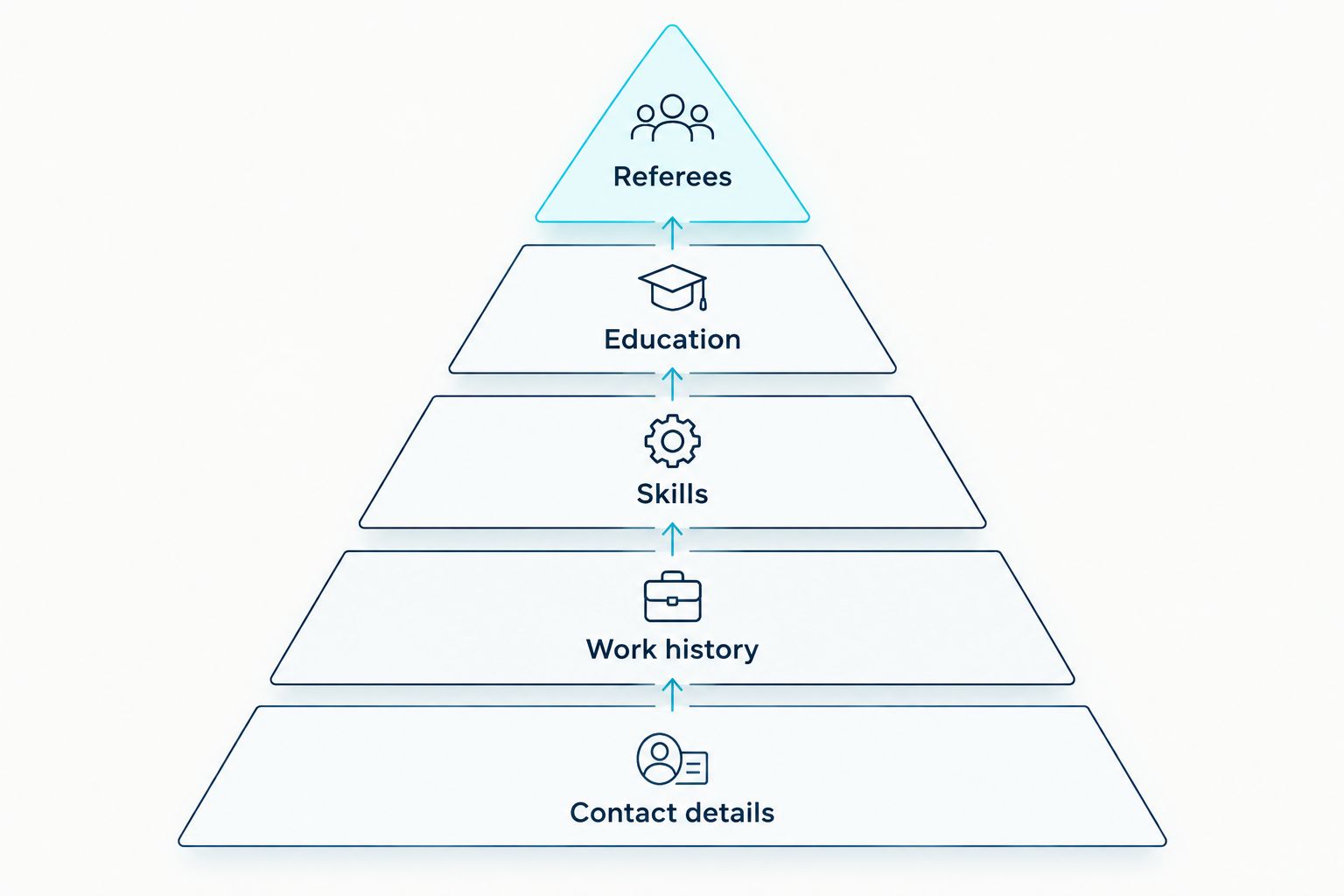
Use this content check before exporting your 2026 CV:
- Contact details: Include a phone number and email address you check. Do not add your ID number simply because a template has a field for it.
- Work history: Give the role, employer and dates, then describe relevant work in plain language.
- Skills: Show skills you can support with your experience; do not copy a template's generic claims.
- Education: Include qualifications that help the employer assess you for the role.
- Referees: If you list them, use people who have agreed to be contacted. 2 or 3 referees is a practical South African convention.
A template can leave you with an attractive page and the wrong information. Delete unused prompts, check every date, and read the exported file rather than trusting the editing view.
An app, a ready-made resource or a done-for-you service?
These solve different problems. Choose an app when you want to write and update the document yourself. Choose a ready-made resource when you want a starting point for organising your CV and job search. Choose a done-for-you CV writing service when you want someone else to work on the document with you; confirm its scope before paying.
Blessing M Digital offers The South African CV & Job-Search System as a ready-made product. It is not a fourth app in the ranking and should not be mistaken for a service where someone writes your CV for you. Check the product listing for exactly what is included, then decide whether it addresses the part of your job search you need help with.
The same distinction applies to CV writing services from Blessing M Digital. A product you use yourself and a service delivered for you are separate choices. In 2026, ask what the service will deliver and what information you must provide before you agree to the work.
How we ranked these options
The ranking puts editing, readability and a suitable final file ahead of template variety. Google Docs comes first as the general-purpose choice. Microsoft Word moves ahead when the employer specifically requests a Word file; Canva becomes relevant when visual presentation is part of the application.
This is a use-case ranking, not a claim that one app will get you an interview. The quality of your CV still depends on accurate details and a clear match to the vacancy. Check the employer's instructions every time, including when you reuse a CV that worked for an earlier application.
Which CV builder app should you choose?
Choose Google Docs if the advert does not give you a reason to choose otherwise. Choose Microsoft Word when a Word document is requested. Choose Canva for a design-led application only after confirming that its final file is readable and acceptable to the employer.
For a 2026 South African job search, keep an editable master CV and make a separate version for each vacancy. Change the summary and the order of relevant details where needed; do not change facts or add skills you cannot explain. If you want a ready-made resource instead of another editor, compare the Blessing M Digital product with the work you plan to do yourself.
FAQ
What is the best CV builder app for South African job seekers in 2026?
Google Docs is the best default for South African job seekers who need a clear, editable CV. Use Microsoft Word instead when an employer specifically asks for a Word document.
Is Canva better than Google Docs for a CV?
Canva is better suited to a design-led CV; Google Docs is the stronger general-purpose choice. Check the advert's file requirements and the readability of the final document before sending it.
Should I send my CV as a PDF or a Word document?
Send the format requested in the job advert. If the advert names no format, check how your file appears after export and make sure the employer can open it.
How long should a South African CV be?
Two pages suits most South African CVs. One page can suit a school leaver, while three pages can suit a senior applicant with relevant experience.
Should I put my ID number on my South African CV?
Do not add your ID number simply because a CV template includes that field. Provide sensitive personal information only when it is needed through an appropriate application process.
How many referees should I put on my CV?
Two or three referees is a practical South African convention. Ask each person for permission and check their contact details before listing them.
Is the Blessing M Digital CV & Job-Search System a CV builder app?
No. The South African CV & Job-Search System is a ready-made product, not an app that builds your CV or a done-for-you writing service. Check its listing for the included materials.
One last thing
Before you send any 2026 application, open the exact file you plan to attach. If a heading has moved, a date is wrong or a template prompt remains, fix it in the editable version and export again. The final file is your CV, not the version that looked right inside the app.